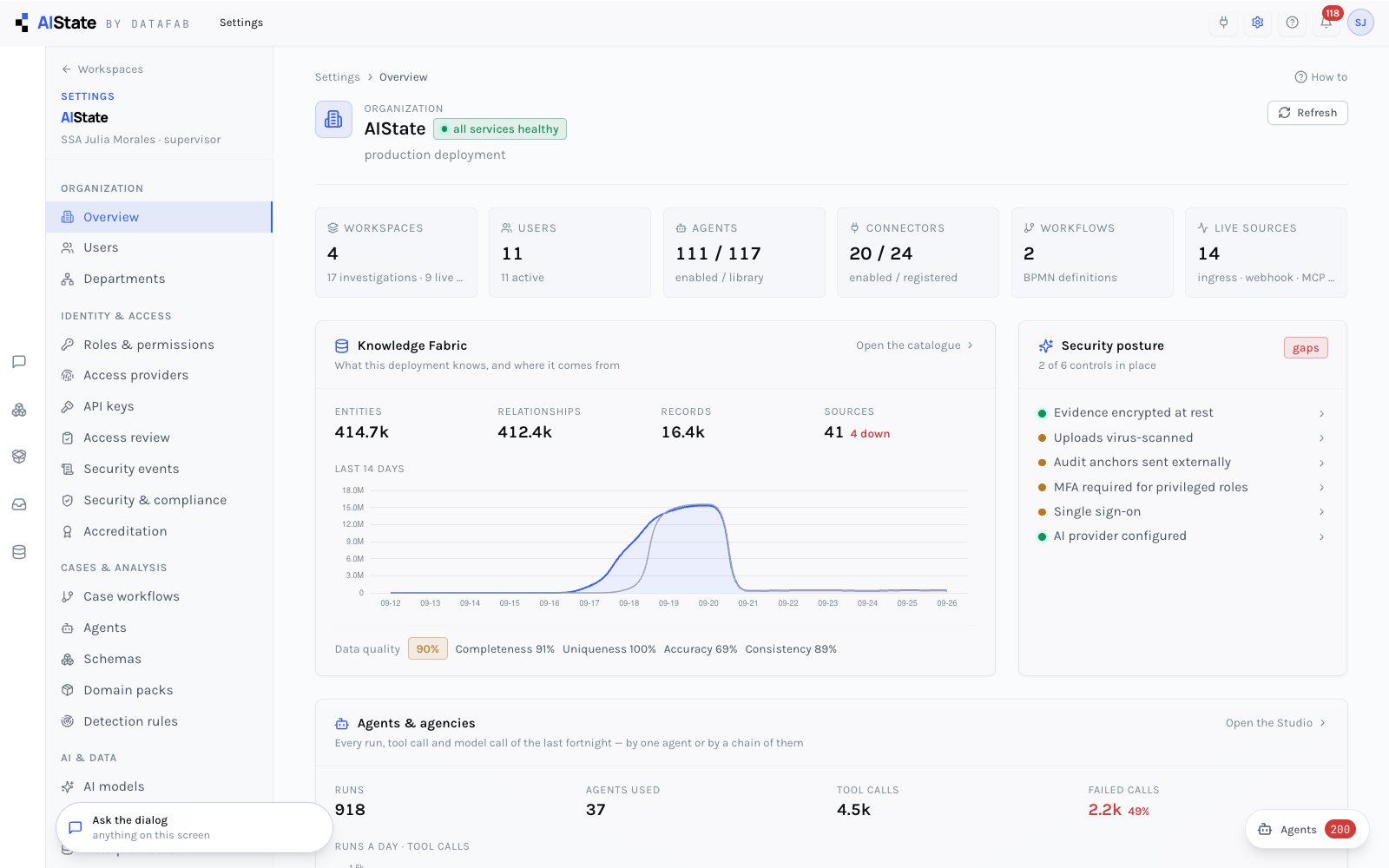
Settings is a module: a grouped navigation and one dedicated screen per section, read from the server, secrets never shown. Identity and access, case workflows and agencies, AI models and the data boundary, connectors and lookups, MCP endpoints, system health, accreditation. Four editions: Foundation, Professional, In-tenant and Sovereign. Foundation runs single-tenant and DataFab-operated in the region you choose; from Professional upward the data plane runs on hosts and volumes you control, under your keys; In-tenant runs the control plane inside your own subscription; Sovereign has no external connectivity.
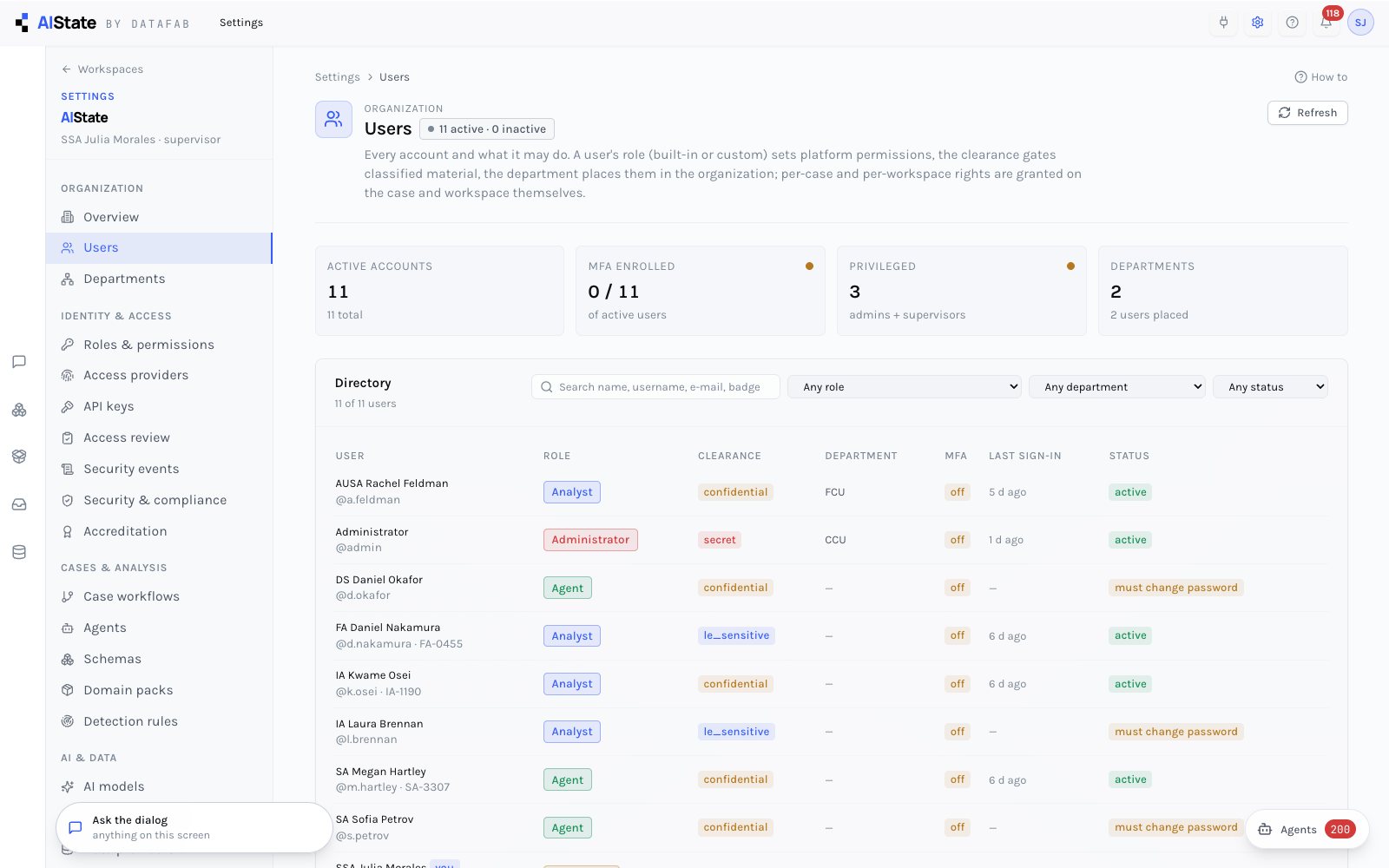
Users carry a base role, a clearance and a department. Departments carry defaults for new members. A bootstrap administrator exists from the first start and can never be locked out by a recreated database.
Role, clearance, department, MFA state, last sign-in; create, deactivate, reset, revoke sessions. First sign-in forces a password change; password policy and lockout are enforced server-side.
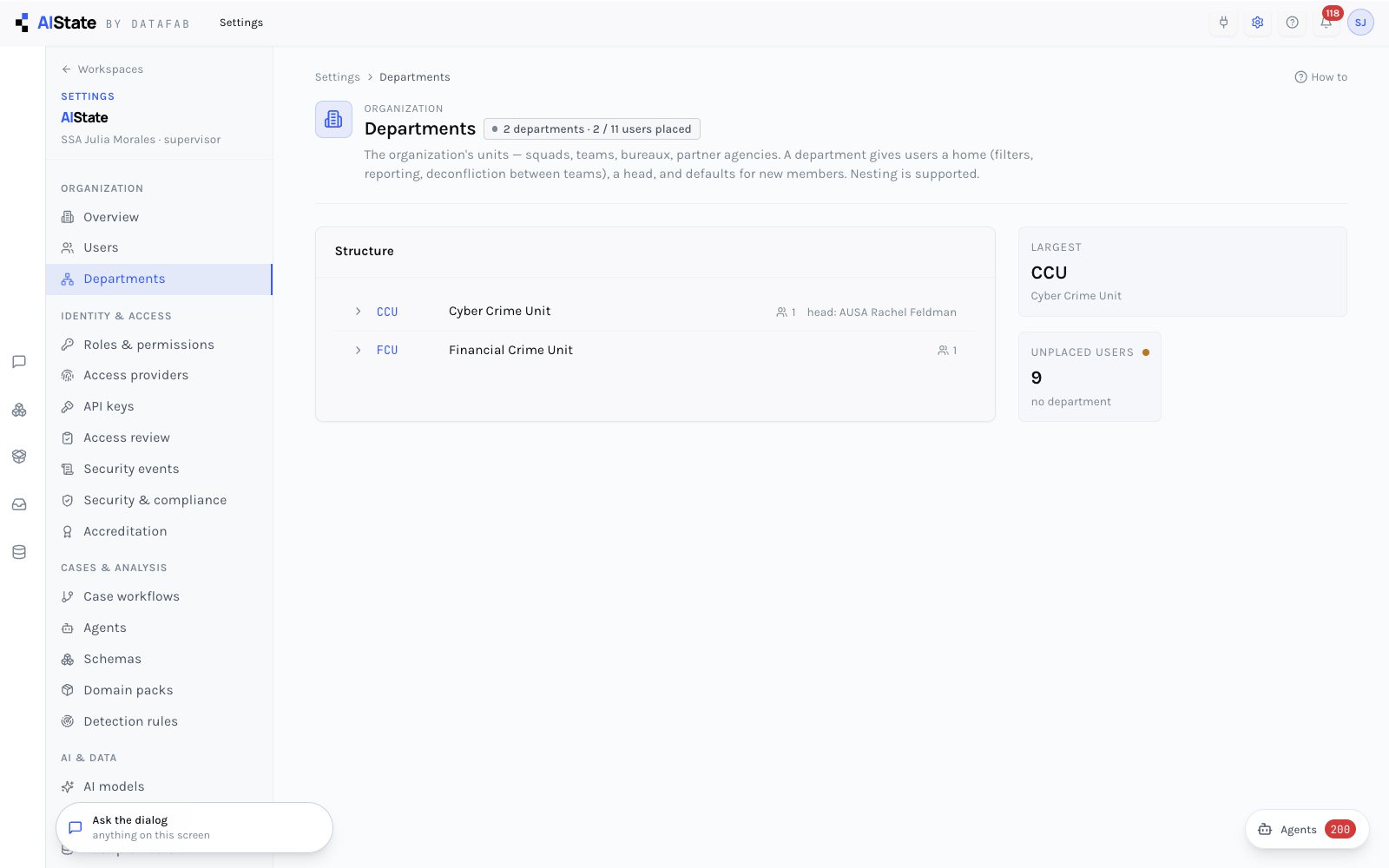
A hierarchy with heads, and a default role and clearance for new members — applied on creation and by identity-provider claim mappings.
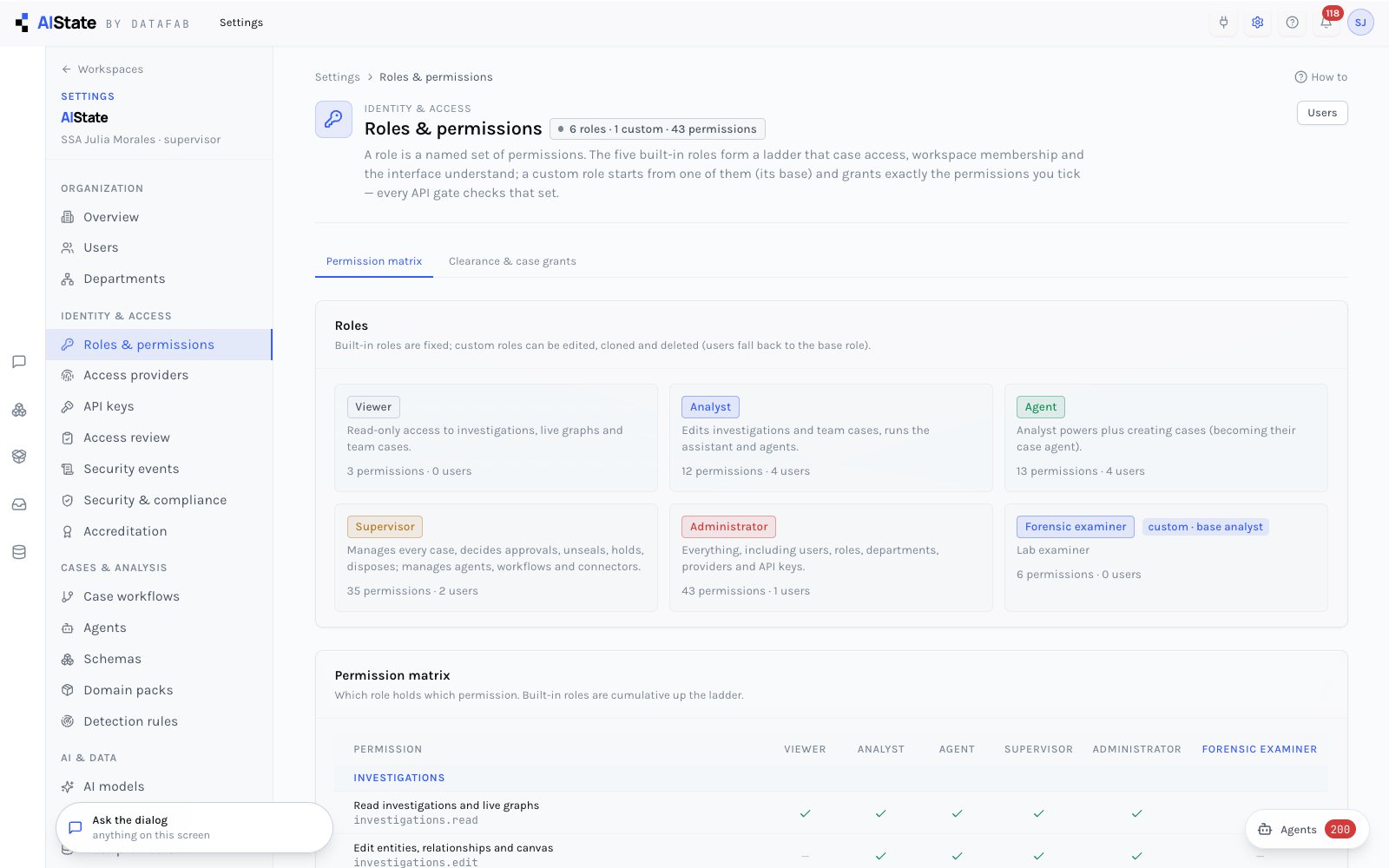
Every operational and administrative capability is a named permission; built-in roles are permission sets; custom roles sit on a base ladder role so case access, workspace membership and clearance keep working. Four identity providers, scoped API keys, a periodic access review and a security-event log are all built in.
The matrix of who holds what — users.manage, evidence.dispose, approvals.decide, connectors.manage… — with custom roles that narrow or widen a base role. Effective permissions ride in the token and refresh within 30 seconds.
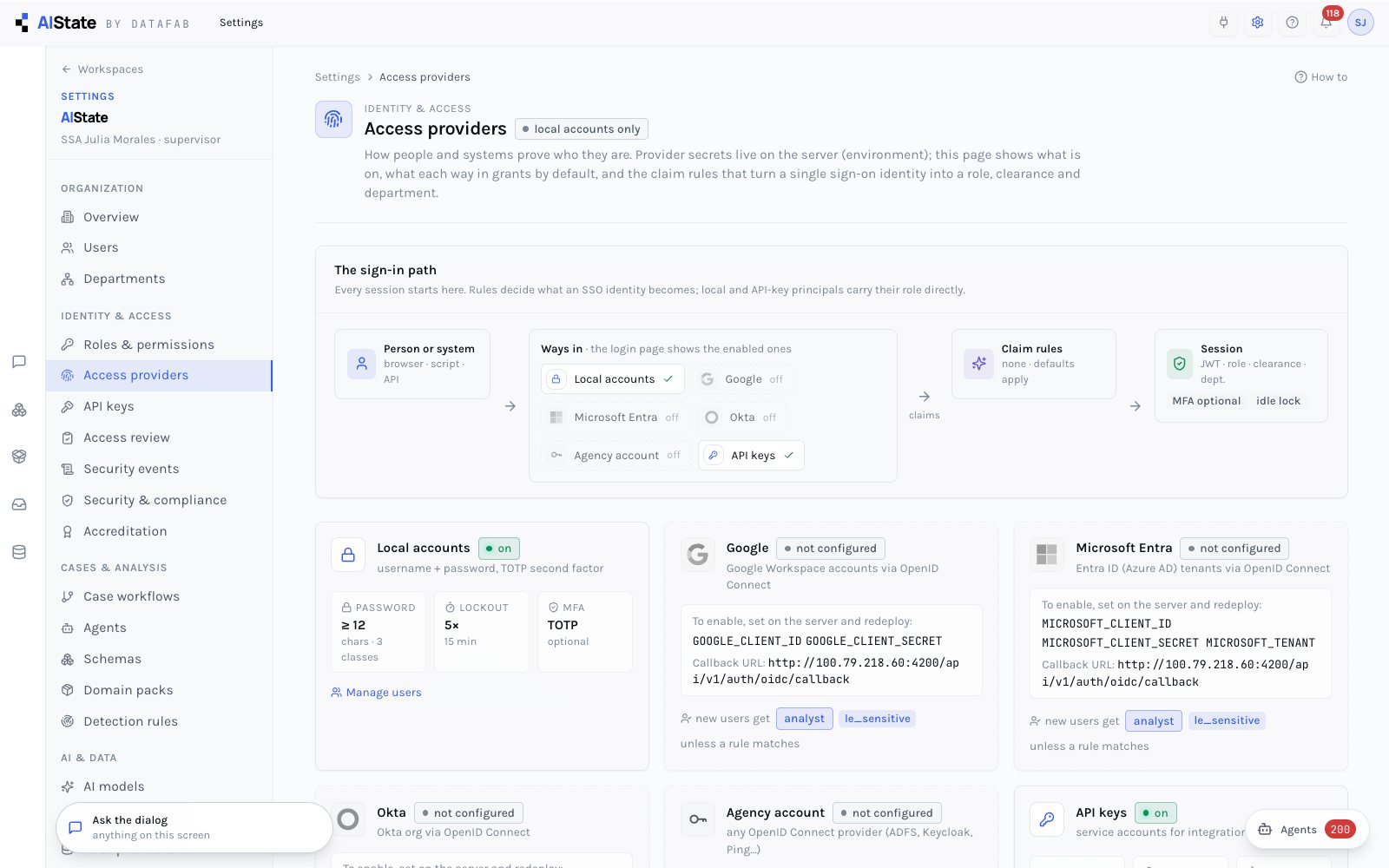
Local accounts, and OIDC single sign-on with Google, Microsoft Entra, Okta or any generic issuer — one callback, a button per provider on the sign-in page. Claim mappings turn an IdP group into a role, clearance and department on every sign-in.
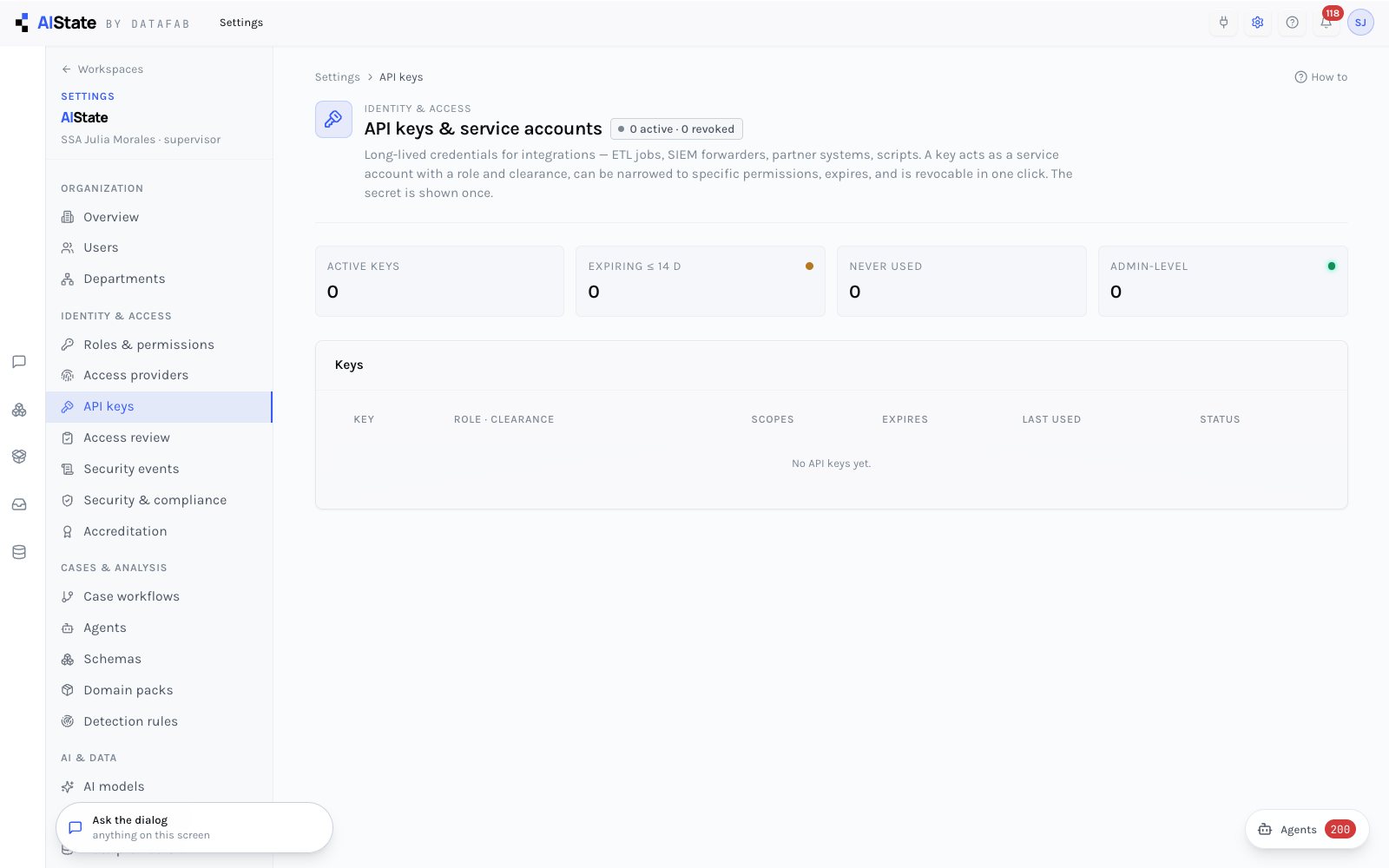
Service principals with scopes narrower than their role, expiry and revocation; the key is shown once and never again. Revocation takes effect within 30 seconds.
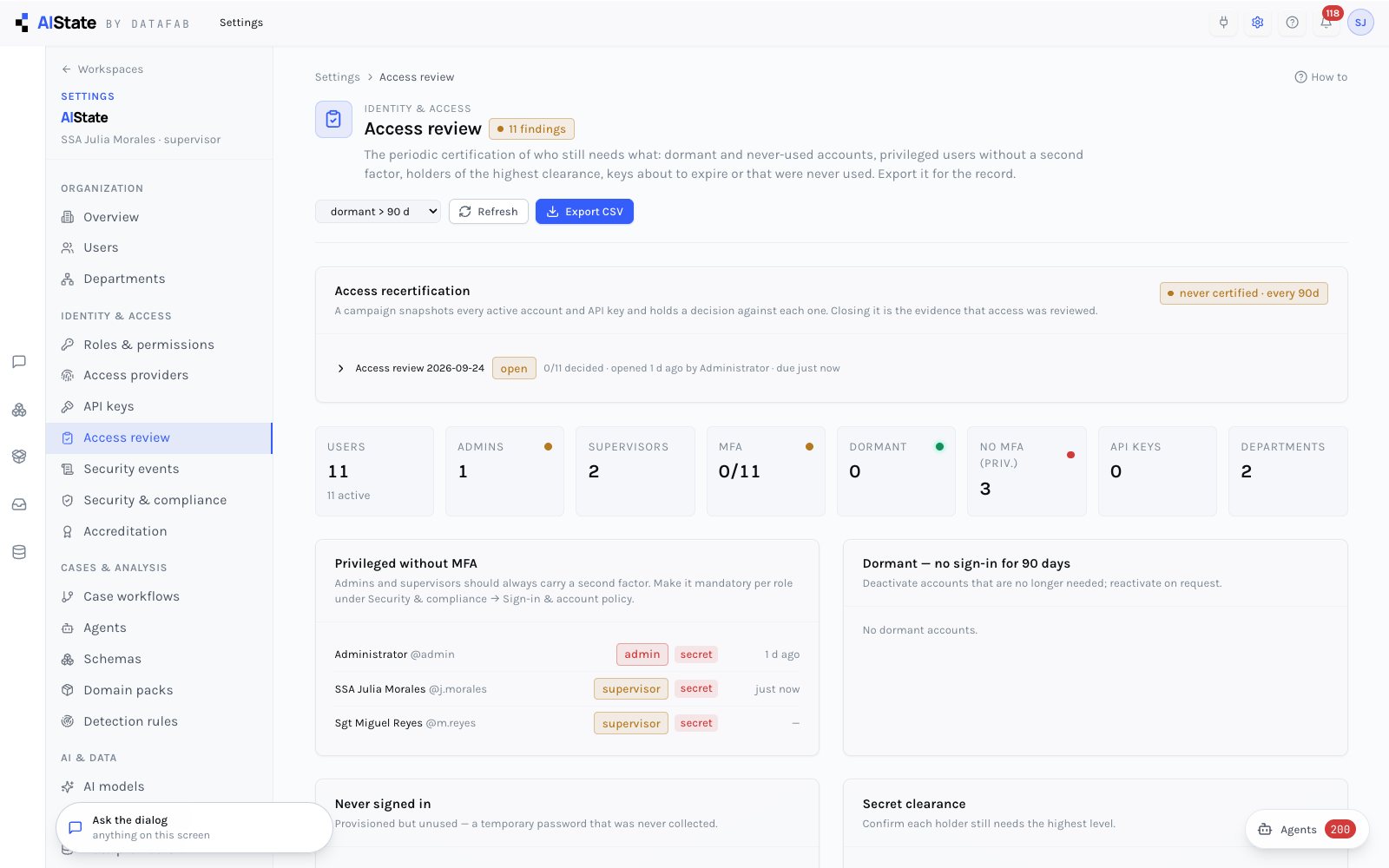
Dormant accounts, privileged users without MFA, expiring keys, unusual grants — computed from the live system rather than assembled by hand, and the starting point for a recertification campaign: every active account and key gets a decision — keep, reduce or revoke, with a reason — and the closed campaign is the evidence that access was reviewed.
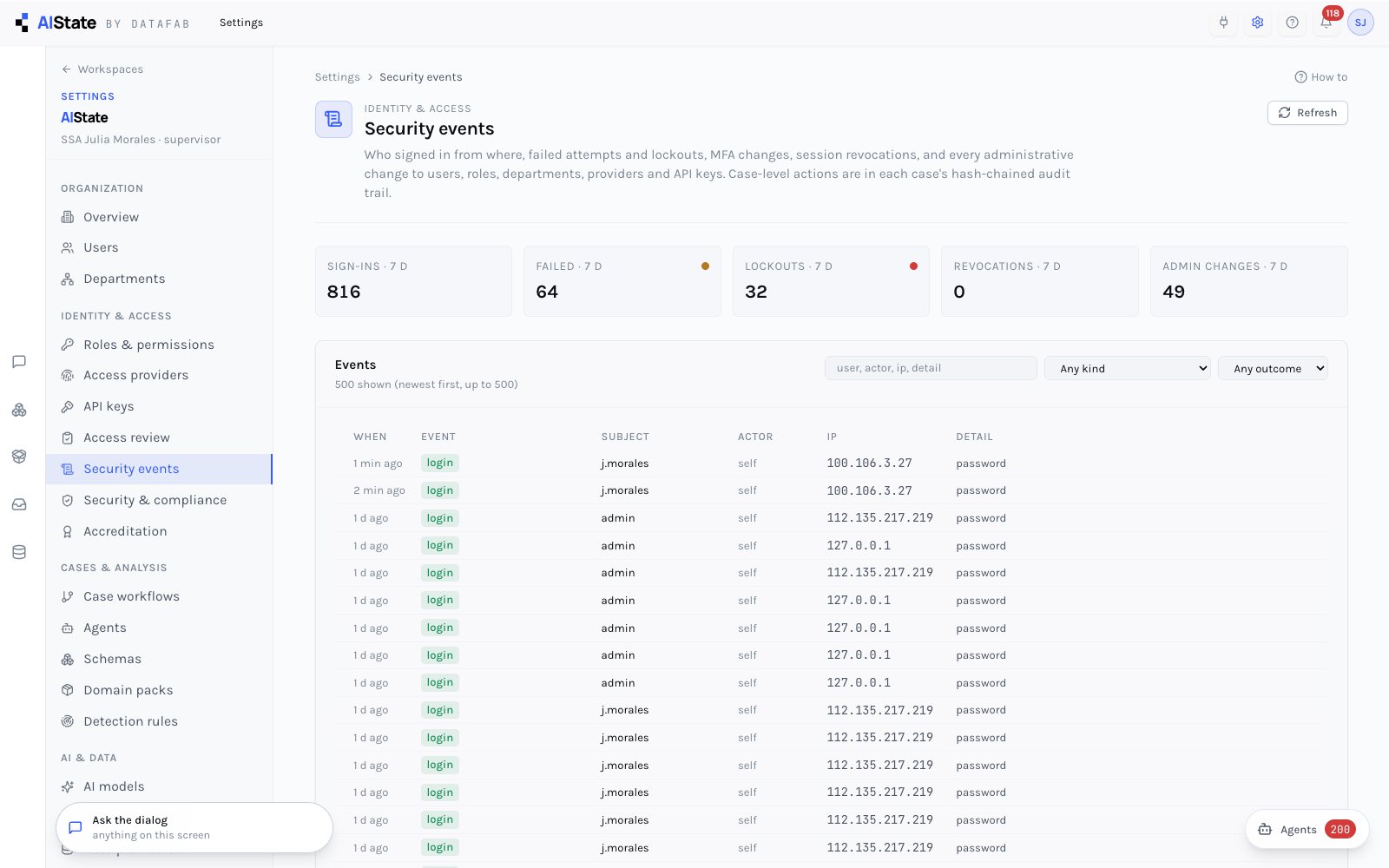
Sign-ins, failures, lockouts, MFA changes, sign-out-everywhere, and every user, role, department, key and identity-provider change — with actor, IP and browser.
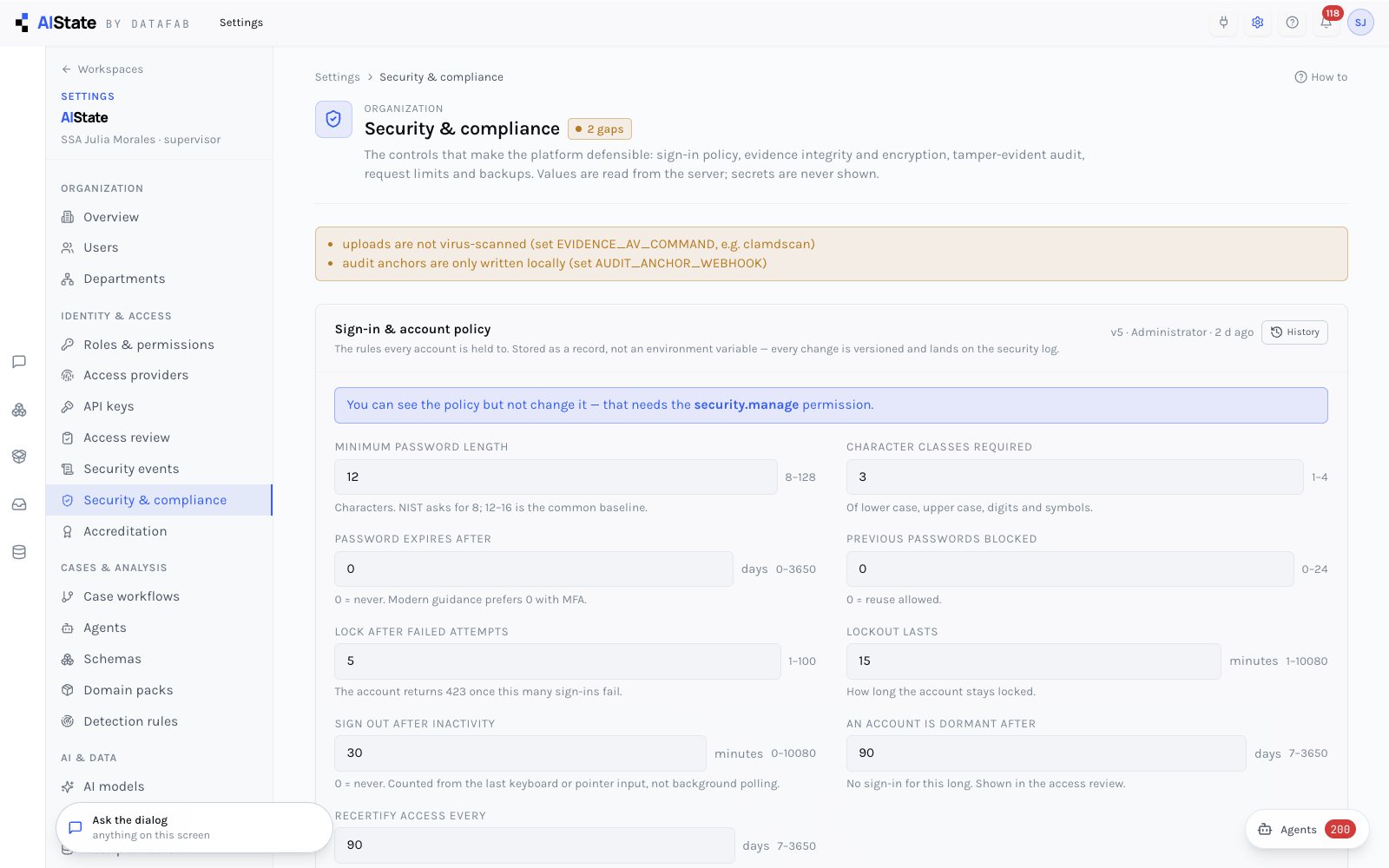
The sign-in and account policy is edited here — password strength and rotation, lockout, who must carry MFA, the idle timeout, dormancy, whether raising someone to admin needs a second administrator — stored as a versioned record, every change diffed onto the security log. Below it the posture is reported as the server finds it: evidence at rest (AES-256-GCM, antivirus), integrity, audit anchoring, rate limits and backups — numbers and booleans, never secret values.
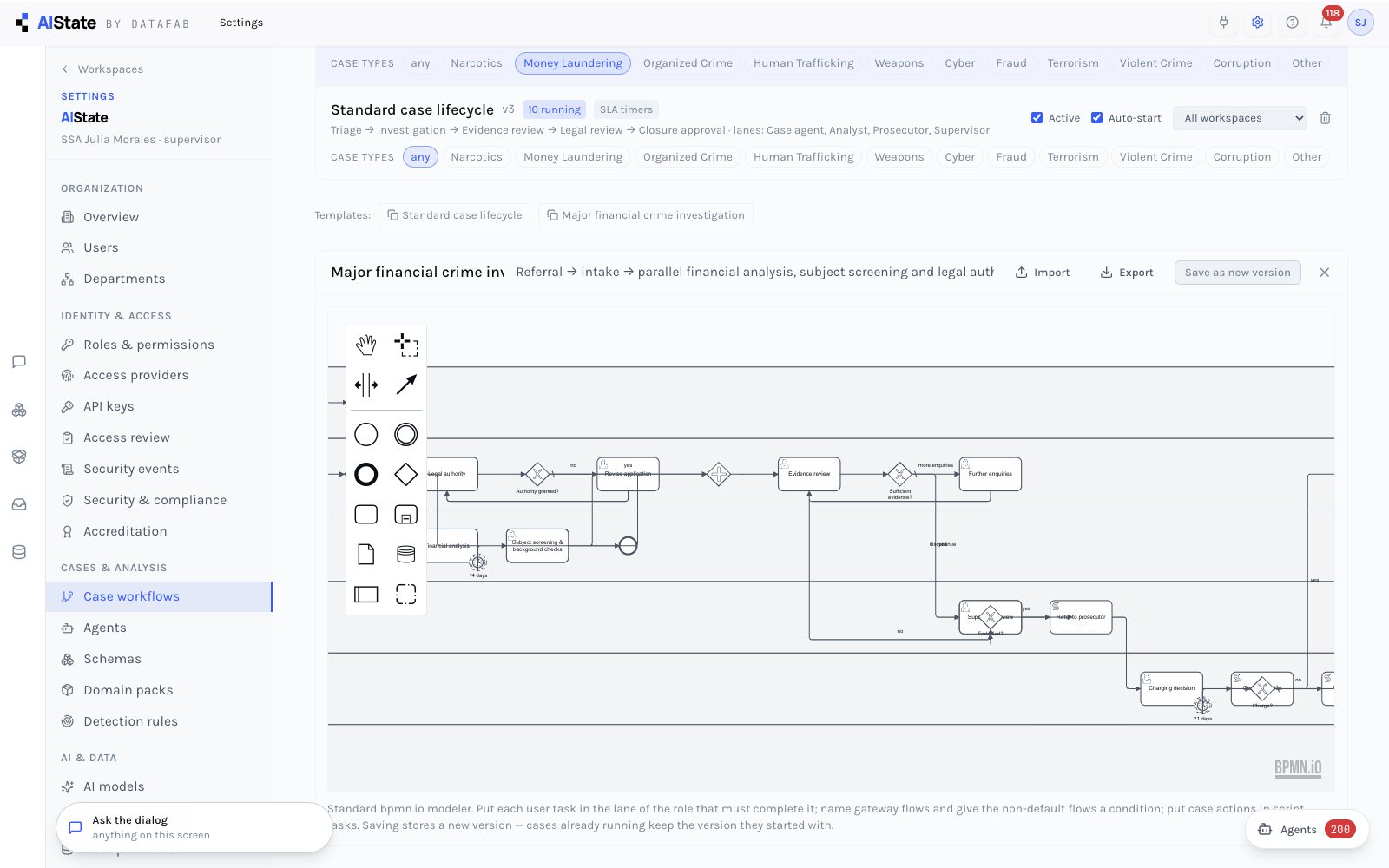
Standard notation, the standard editor and a standard engine. Definitions by case type and workspace, active and auto-start; lanes are roles, task data is the case, SLA timers escalate; saving bumps a version and running cases keep theirs. A 44-node major-financial-crime template ships laid out.
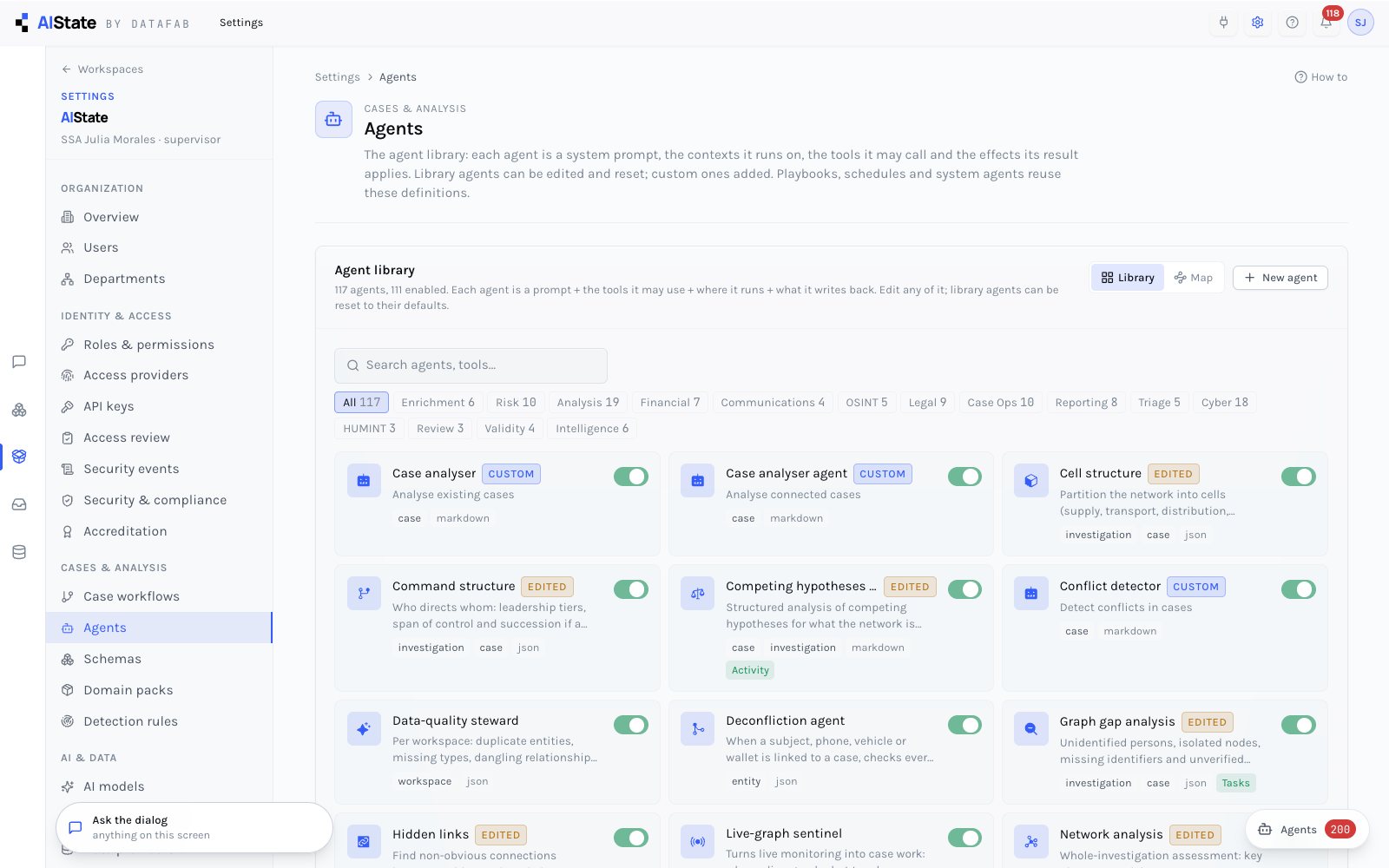
The library of 105 ready agencies — 84 on demand across 12 disciplines and 21 on a schedule or an event — enable, edit, reset to the shipped definition, or create your own: prompt, contexts, allowed tools, output shape, effects, autonomy. The Studio adds chains, testing against a live target with the execution trace, and publishing.
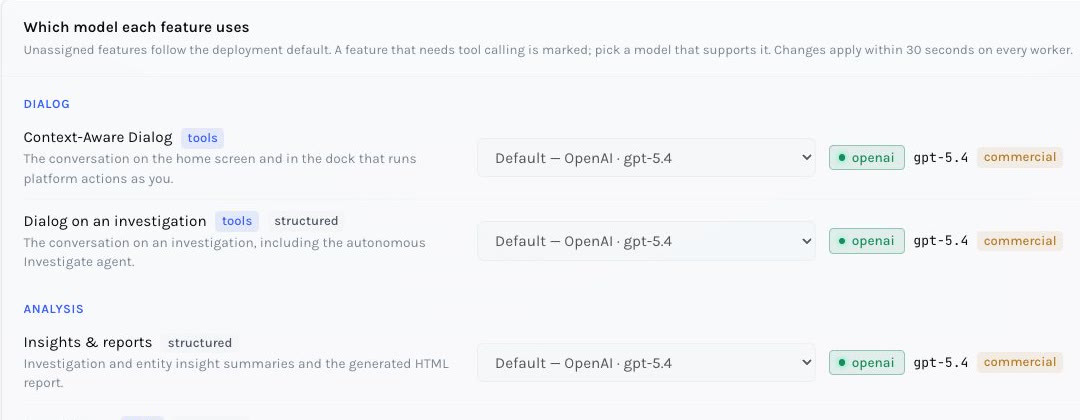
The providers in your environment appear as built-ins; register any other model — any Chat-Completions endpoint, a government-cloud deployment, the Anthropic Messages API, Bedrock, a local server — test it in place, and assign a model per feature: dialog, chat, insights, agencies, background checks. Keys are write-only and masked. Every model carries a location, and a feature can only be served by a model inside the deployment's data boundary.
The registry with a per-model test, the feature → model grid, and the boundary report. Model labels travel into execution traces and proposal stamps, so every AI write names the model that made it.
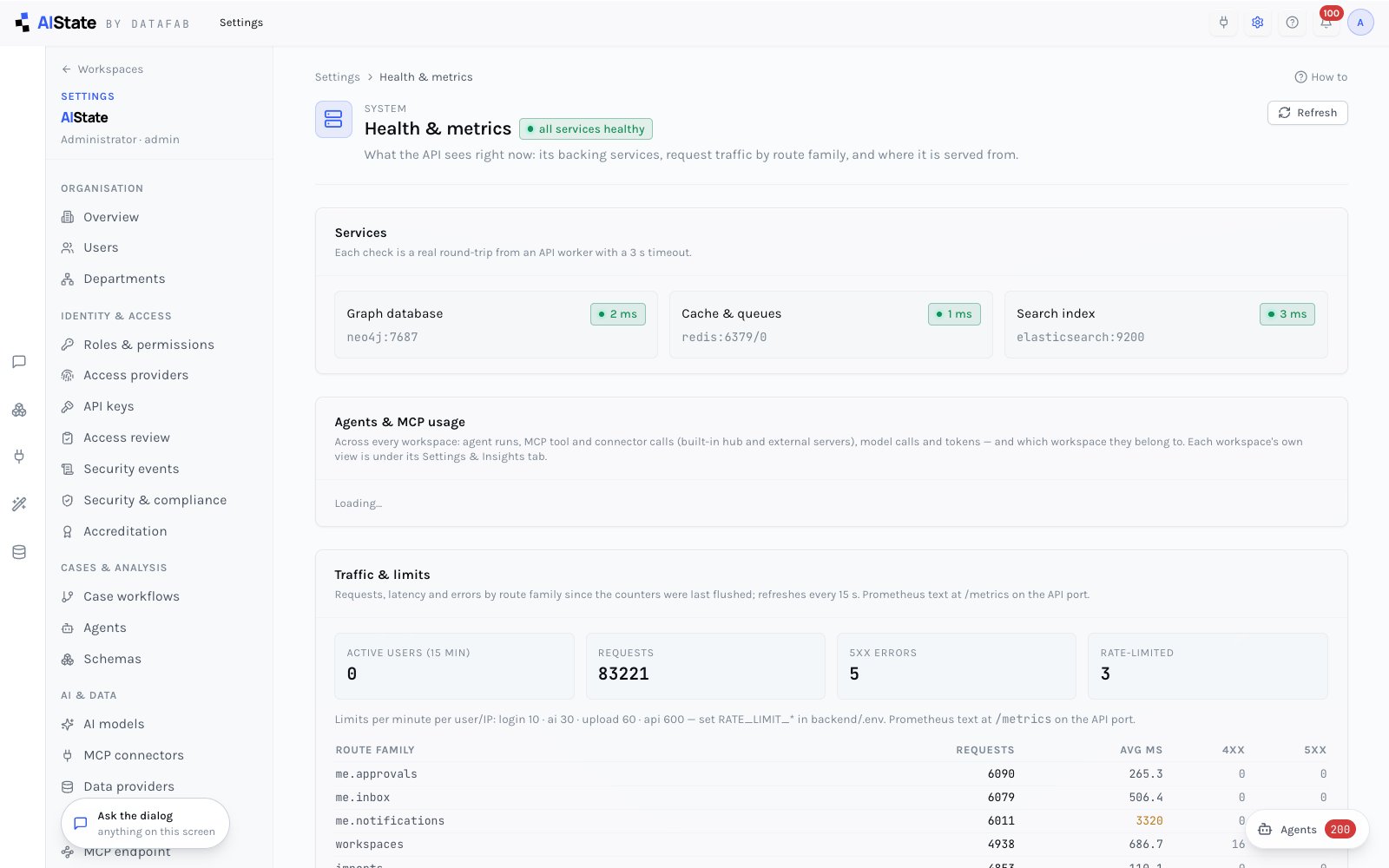
A usage ledger records every model call and every tool call off the request path — which agency, which connector, which tool, by whom, how long it took and what it returned. Settings → System shows it across the deployment; each workspace sees its own, and each agency has its own analytics page with outcomes, p50/p95 durations and the chains it runs in.
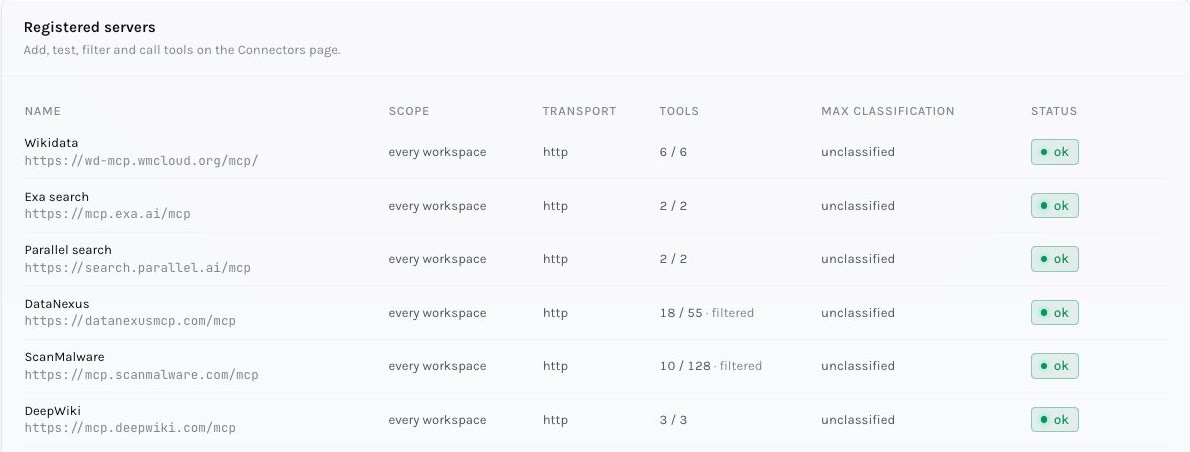
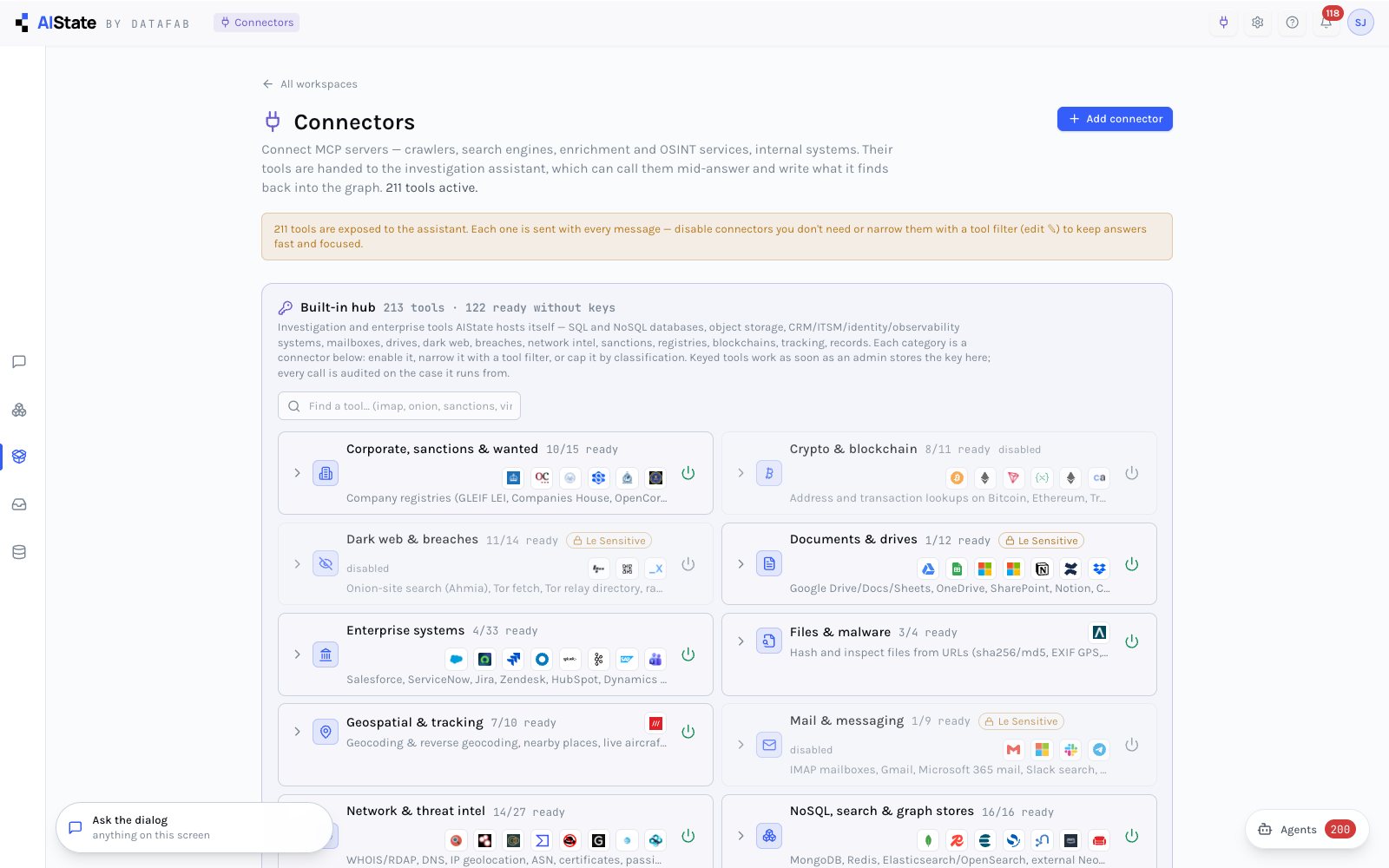
External MCP servers with a tool filter that keeps big servers to the relevant subset, write-only header secrets, and a classification ceiling that withholds a connector from cases above it — in the dialog and in agency runs. The built-in hub: investigation tools hosted in-process by category, keys held server-side and never shown.
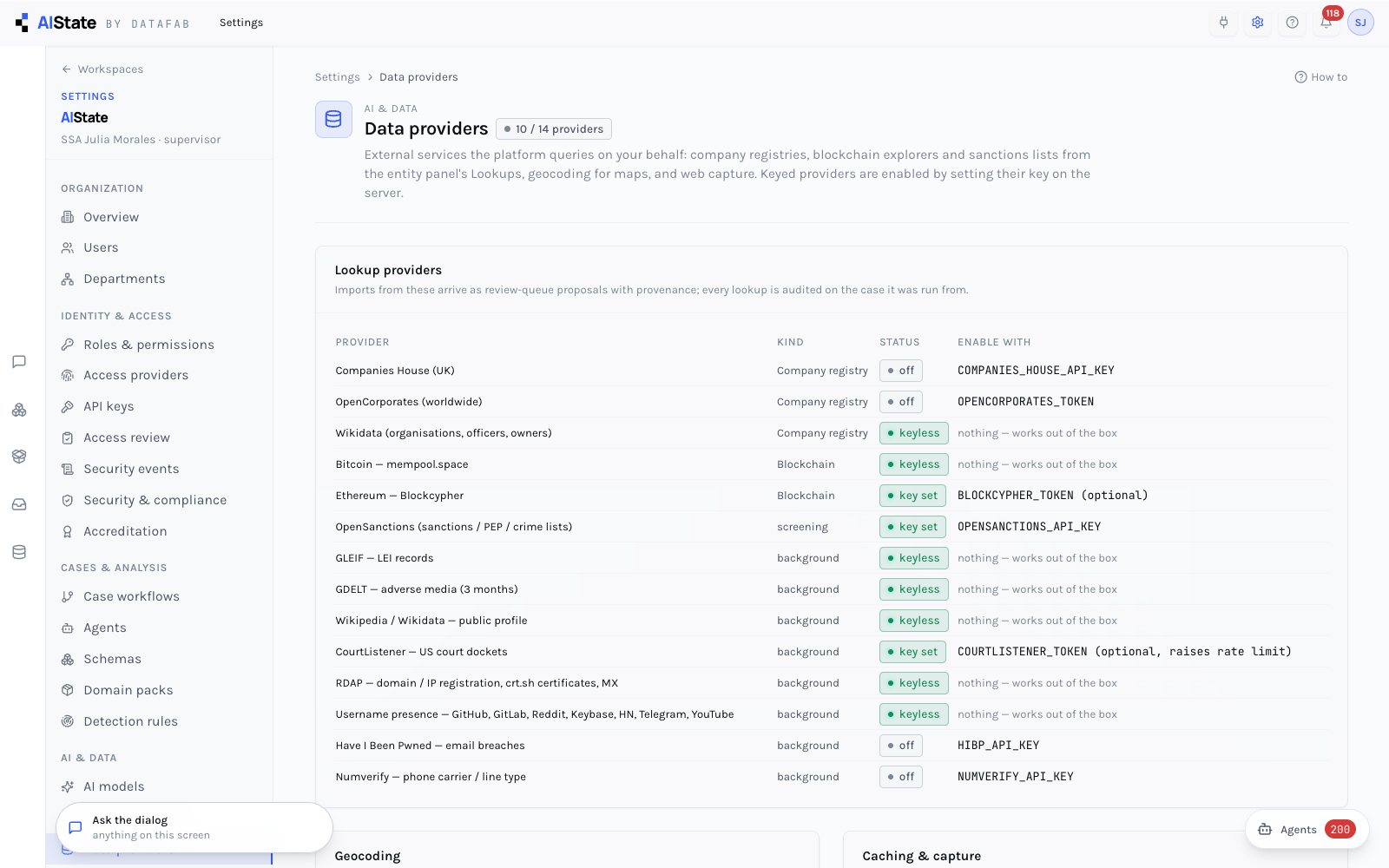
Every lookup and background-check source — company registries, sanctions, blockchain, media, courts, digital footprint, professional profiles — with its key state; an unconfigured or rate-limited provider says so on the report rather than hiding.
Named connections to your own systems — SQL, NoSQL, object storage, SaaS, streaming — configured as a single URL or a JSON map of many, shown with official marks, described without secrets, every host checked against the egress policy.
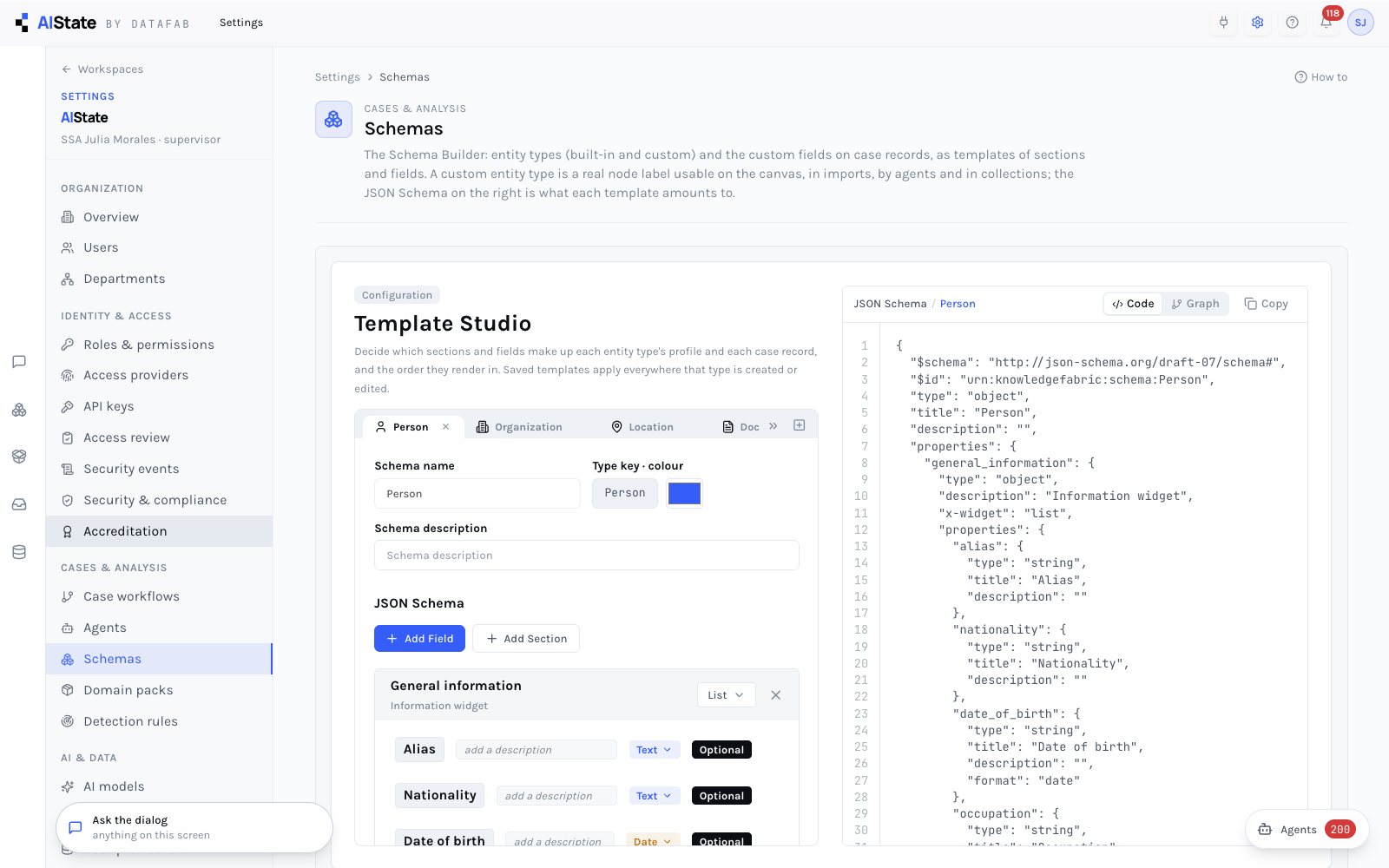
The data model in the organization's hands: one tab per entity type or case record type, sections and fields, JSON Schema alongside; a new entity type is a real label with forms, colours and agency tools following.
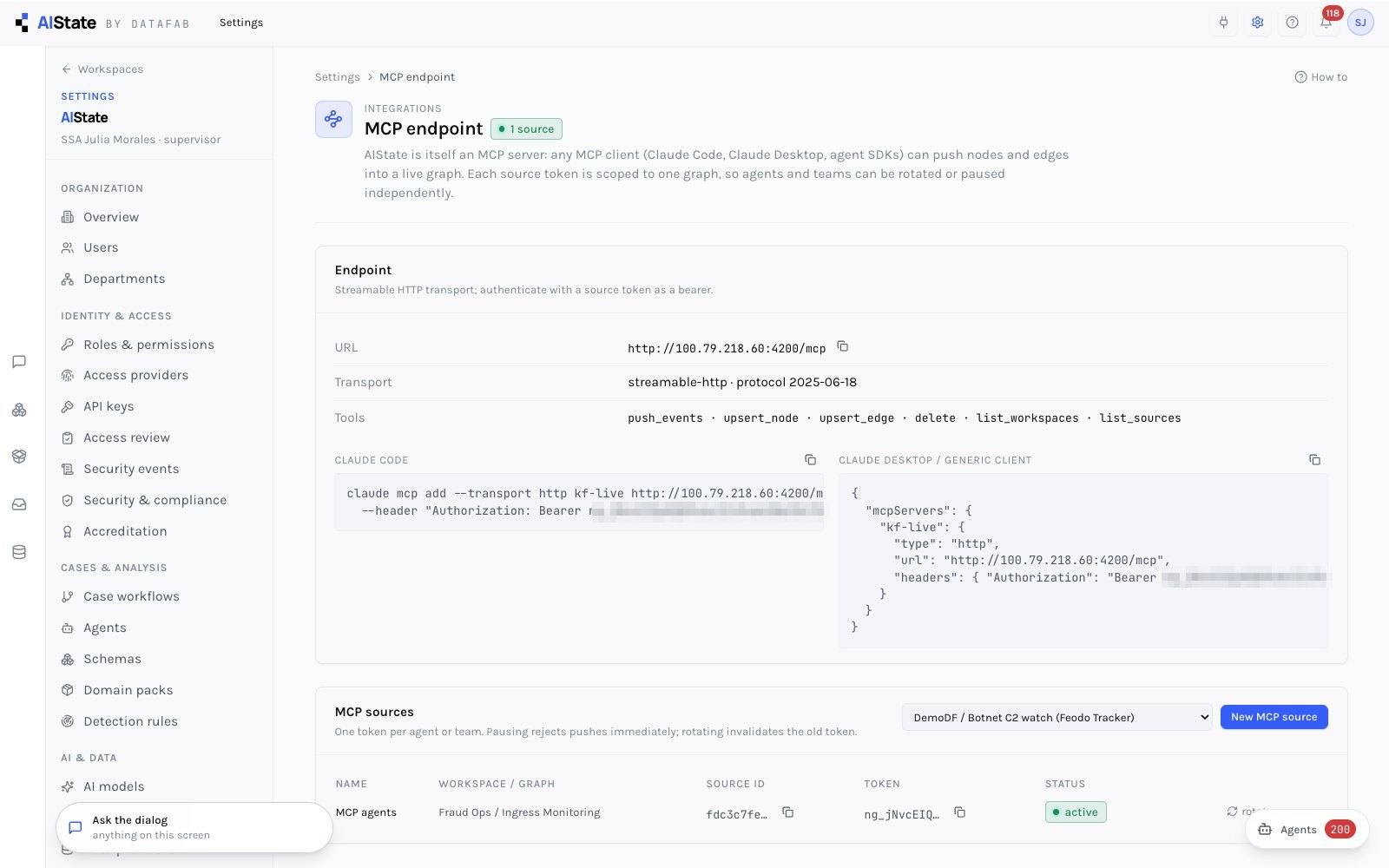
A JSON-RPC MCP server with client snippets: producers push events, upsert nodes and edges, delete — with per-source tokens. Any MCP-capable tool can feed a live graph.
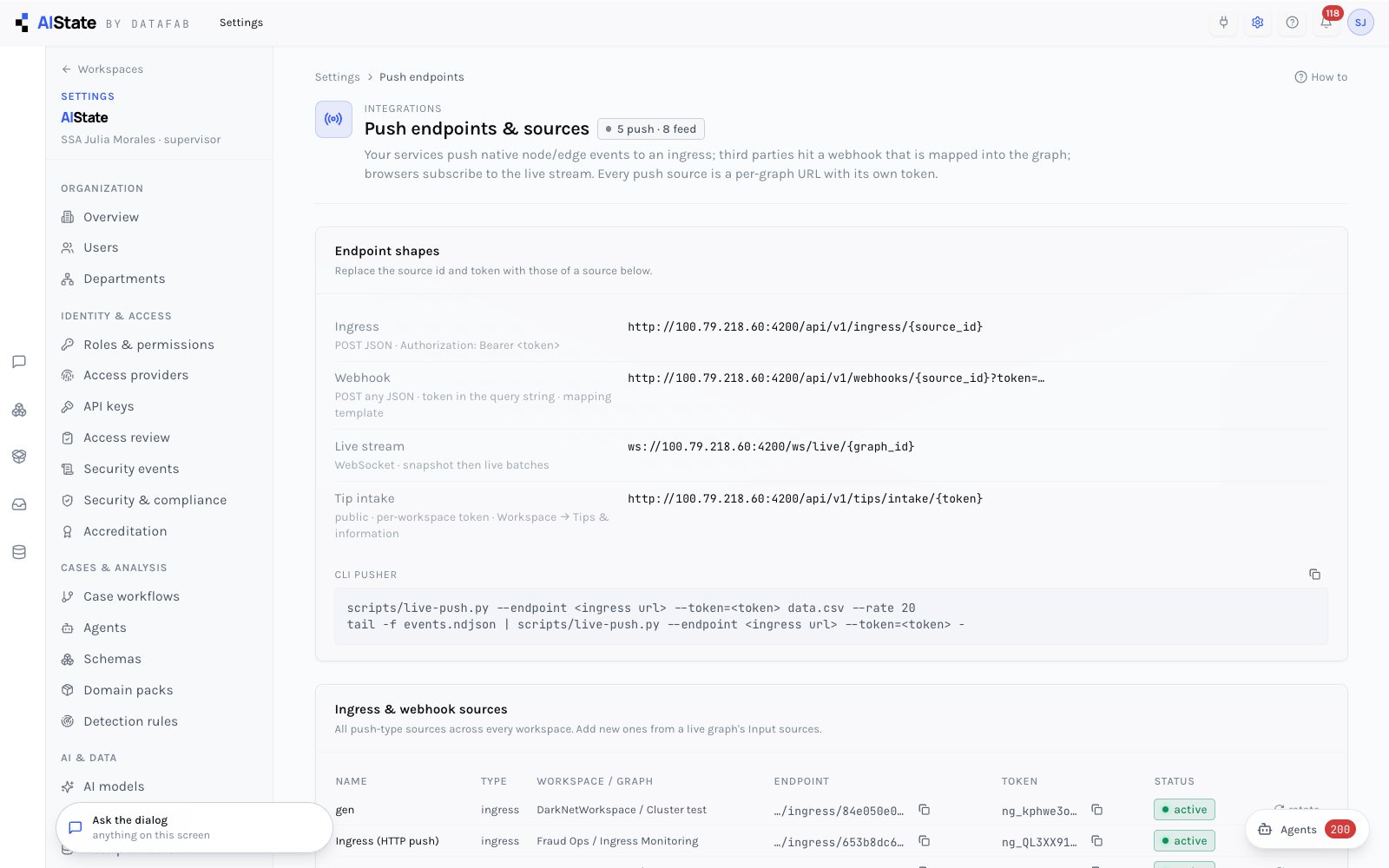
Every ingress and webhook source across workspaces with its URL, token rotation and pause — the places your systems post to.
Evidence files, working copies, subject media and audit anchors live in directories or volumes you choose; the graph database, cache and search index are reachable only on your private network; from Professional up, every key is held in your own key manager, under your control; backups cover every volume with a manifest. Detail is in the architecture and assurance dossier, shared under NDA. The platform runs without internet access. Lookups, external connectors and commercial models are optional, and each is governed by the data boundary.
The graph database, cache and search index with latencies, rate-limit counters per route family, and a metrics endpoint for your monitoring.

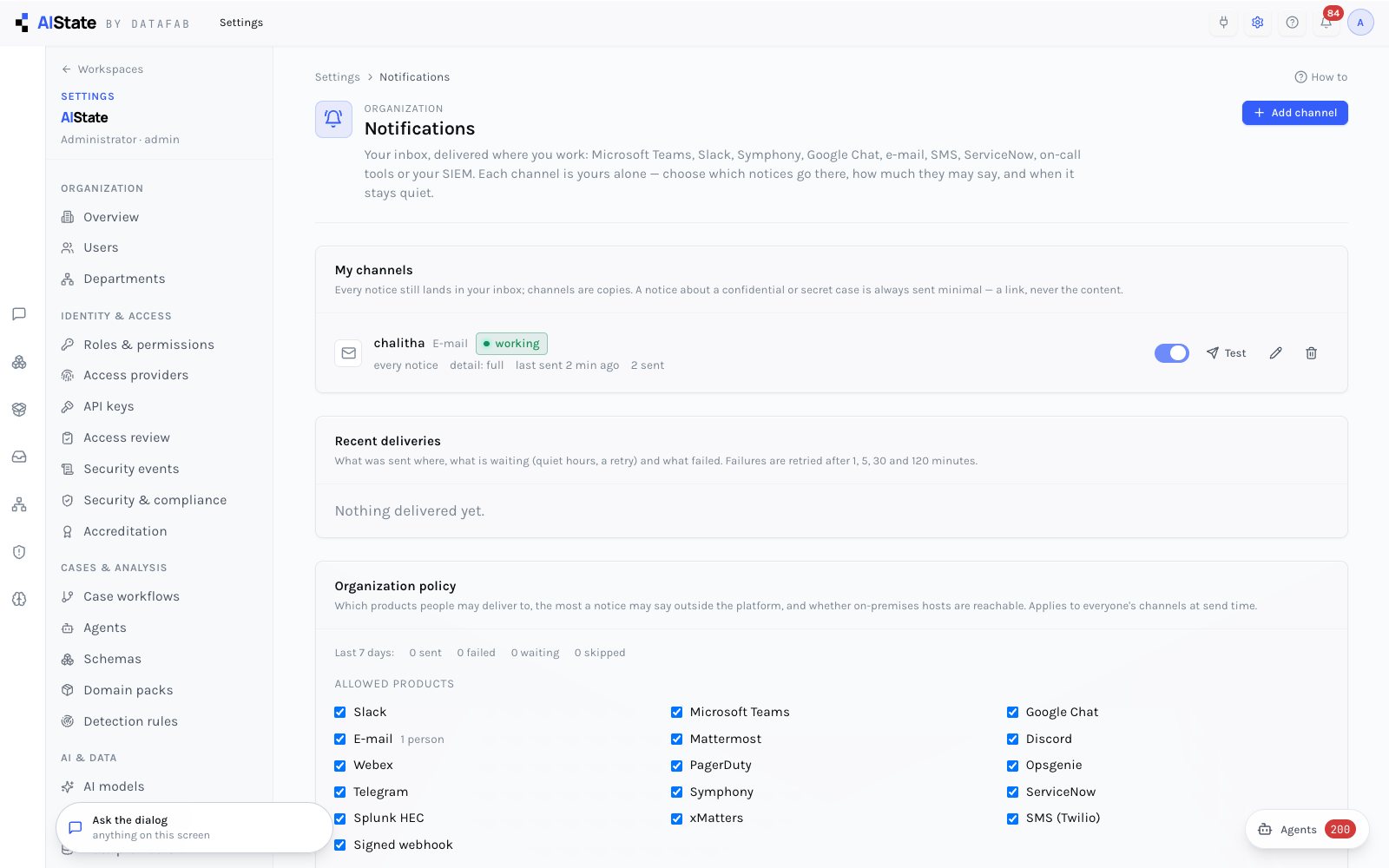
Each person's inbox delivered where they work: Microsoft Teams, Symphony, Slack, Google Chat, Webex, e-mail through the relay or Microsoft 365, SMS, ServiceNow, PagerDuty, Opsgenie, xMatters, Splunk HEC or a signed webhook. Each channel takes the kinds of notice its owner chooses, at full, title or minimal detail, with quiet hours. Confidential and secret cases always go out minimal (a link, never the content). Administrators set which products are allowed and the most a notice may say.
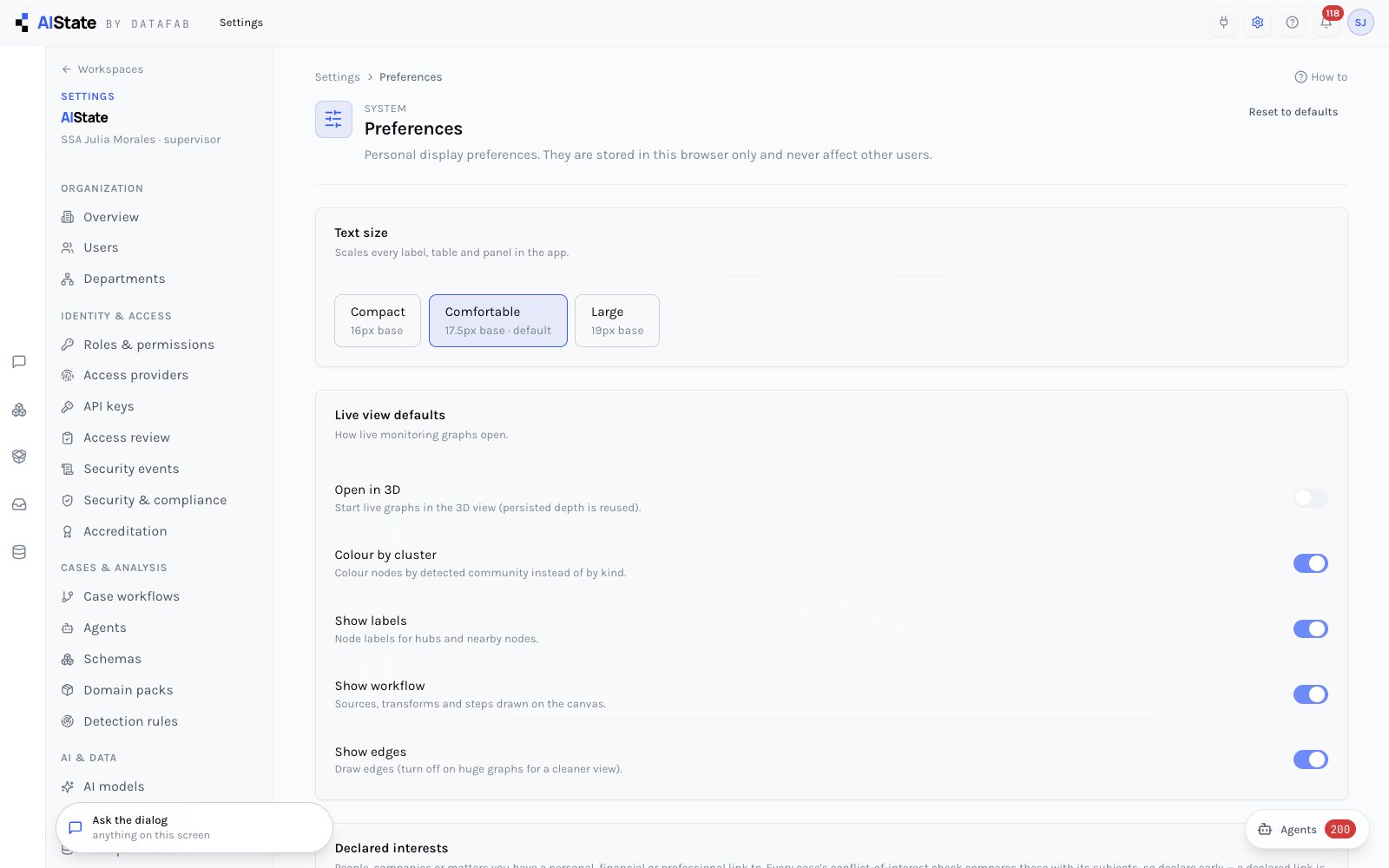
Text size, live-view options, each user's declared interests for conflict checks, and the keyboard reference.
DataFab is certified to ISO/IEC 27001:2022, ISO/IEC 42001 and SOC 2 Type II. Settings → Accreditation maps the NIST SP 800-53 rev 5 controls the platform touches — requirement, how it is met, evidence pointers — and computes each status from the running system: user and MFA facts, key ages, anchor age, FIPS state, SBOMs, CSP reports, backup age. Every non-met check carries the action that closes it. The evidence package is a zip a reviewer can take away: report, controls, cryptography inventory, attack surface, SBOMs, audits, facts.
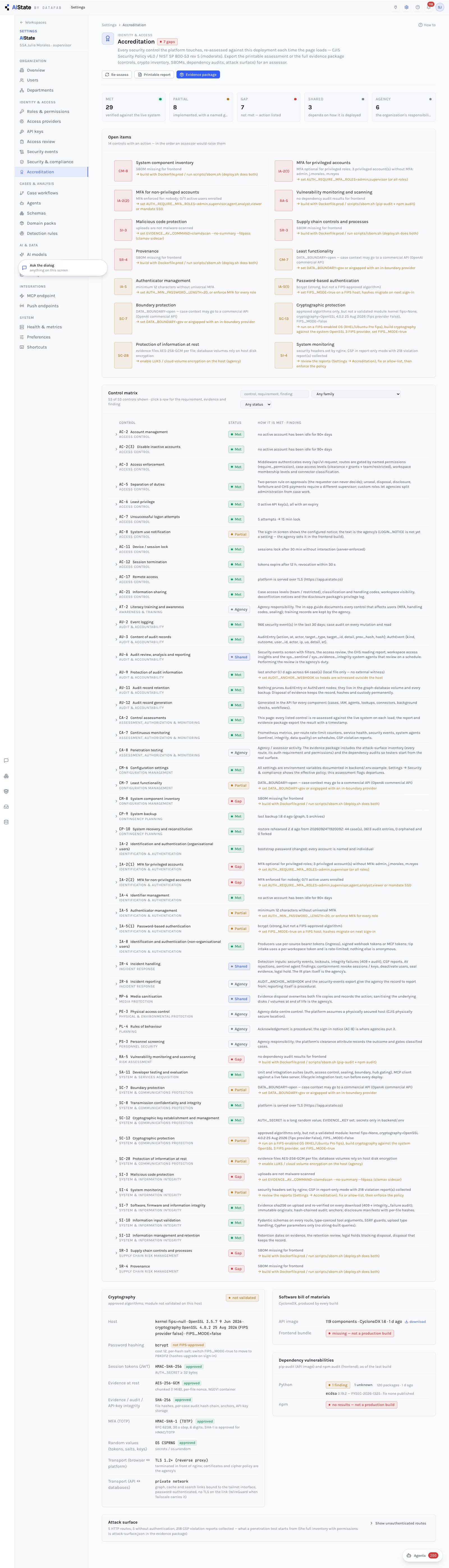
The frameworks shown are what the evidence is organised for; the evidence itself is generated by the platform and exportable as a package.