Ten places, one estate.
Home · Explore · Lineage · Schema · MCP · Observability (data quality, incidents, alerts) · Insights · Domains · Govern (glossary, classifications, metrics) · Settings — every one of them reading the same state graph.
The estate at a glance.
Data assets as cards, then estate statistics straight from the count store — entities, relationships, data size, connected systems, internal vs external, how many sources are access-controlled — each with a 14-day spark.
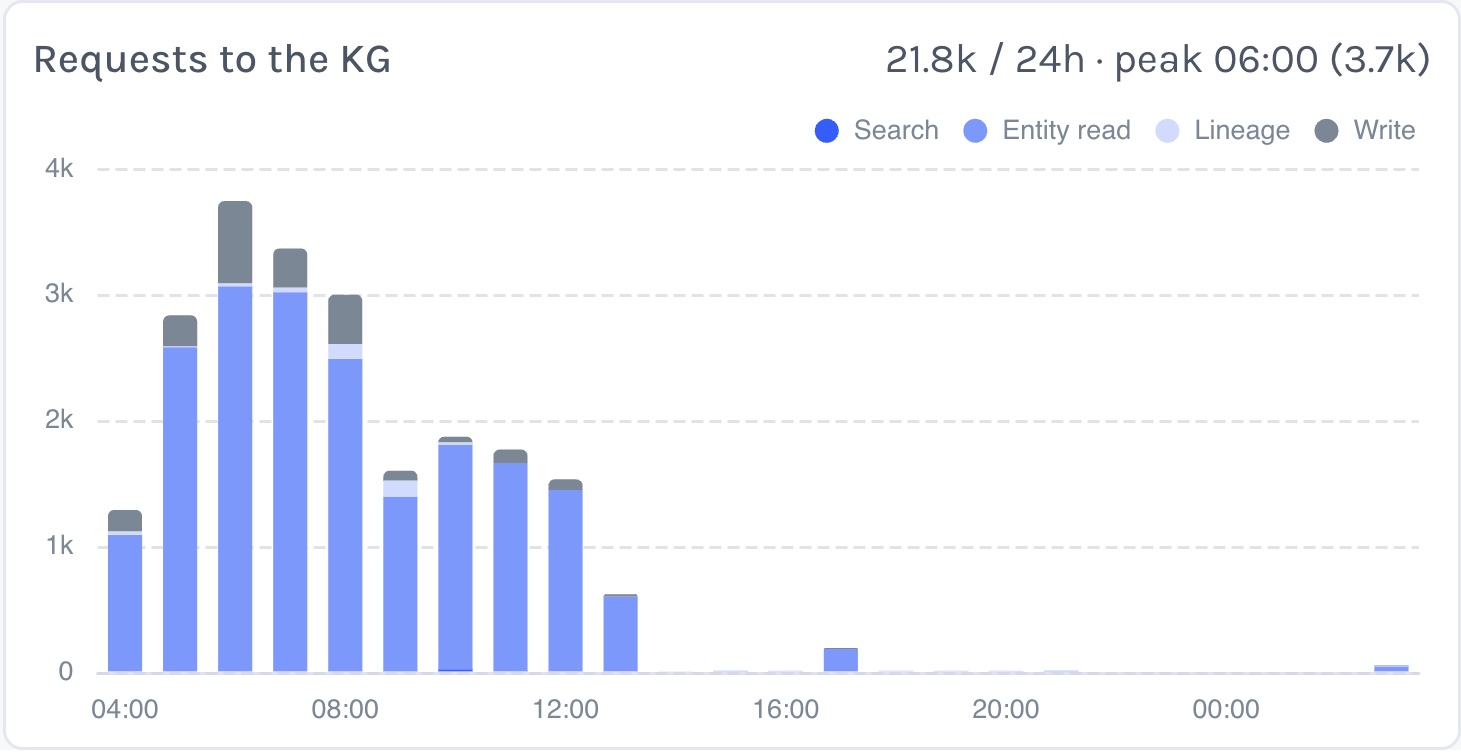
Underneath: overall data quality across the six dimensions, a status-of-connectivity grid with average latency and the sources that are offline, and requests to the knowledge graph per hour split by search, entity read, lineage and write.
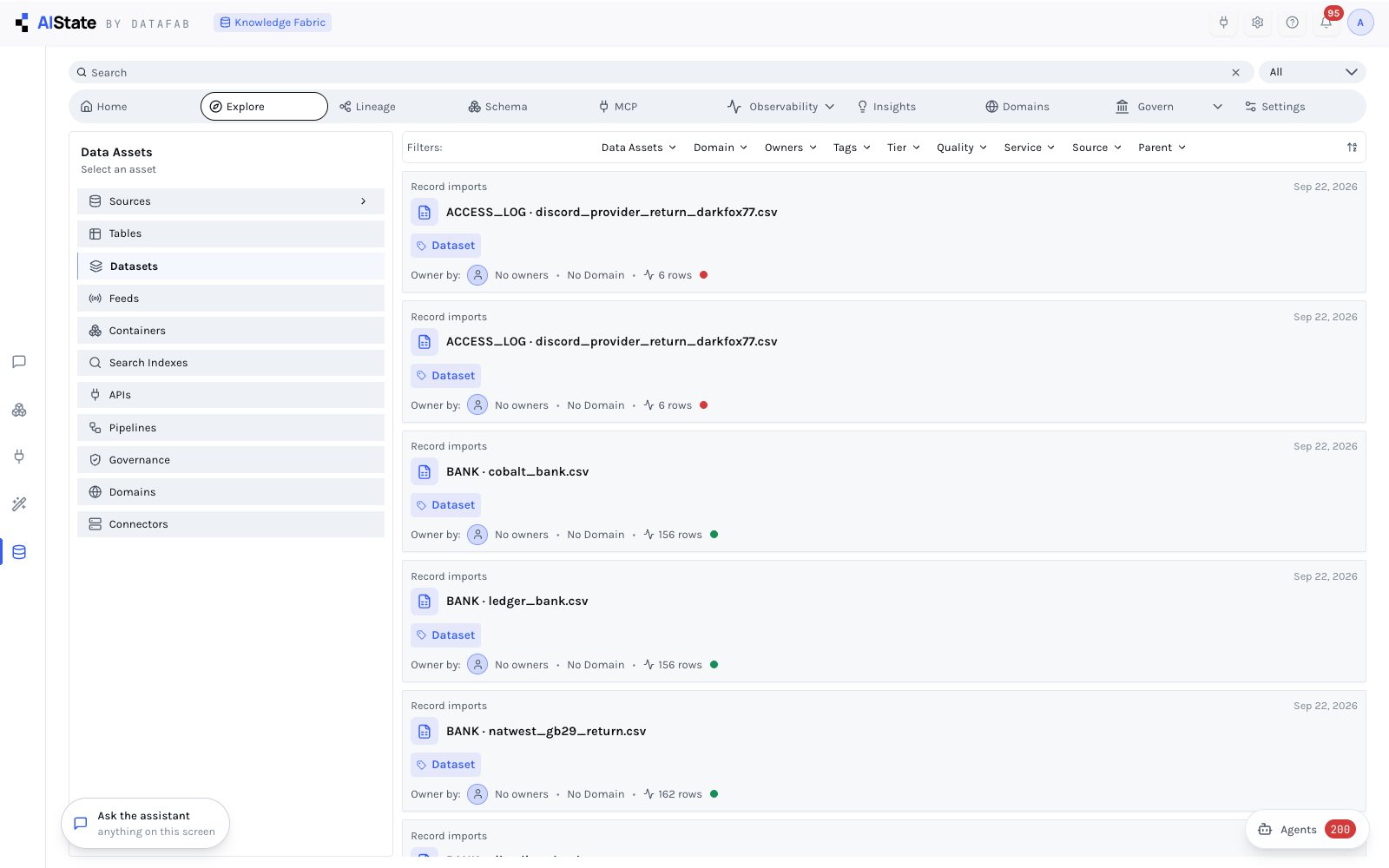
Every asset, its schema, its owner.
The left rail walks the estate by kind — sources, tables, datasets, feeds, containers, search indexes, APIs, pipelines, governance, domains, connectors — and the filter bar narrows by domain, owner, tags, tier, quality, service, source or parent.
Each card carries what the sync found (rows, freshness, a quality dot) and what a person added (description, owner, tier, domain, glossary terms) — human fields the sync never overwrites.
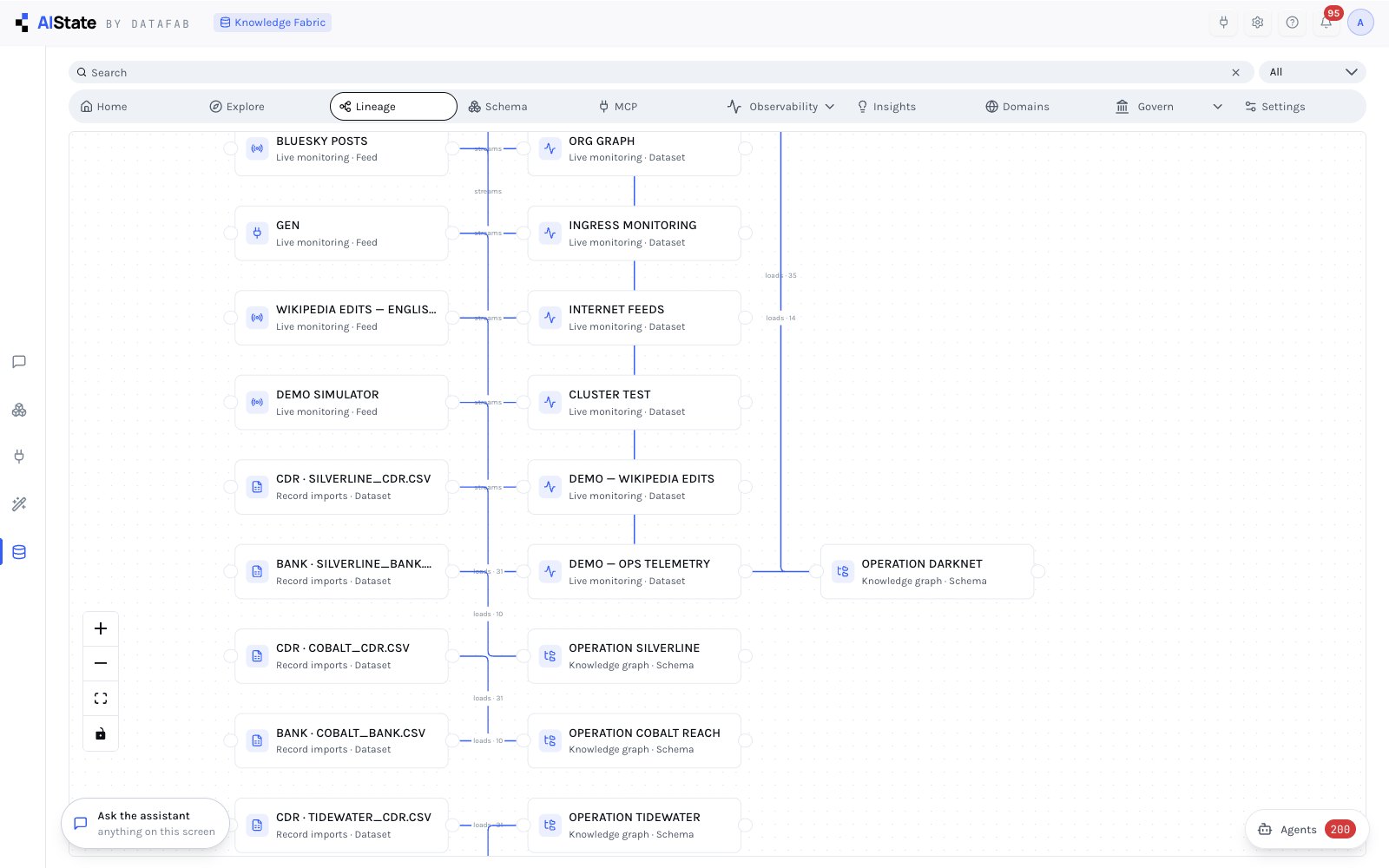
Where a fact came from, hop by hop.
Lineage is discovered, not drawn. Feeds stream into monitoring graphs, record imports load investigations, connectors enrich subjects through proposals, evidence extractions become imports — each edge carrying what flowed and how much.
Pan, zoom and fit on a node canvas; follow a chain from a CSV that arrived this morning to the investigation it fed.
The data model as it actually is.
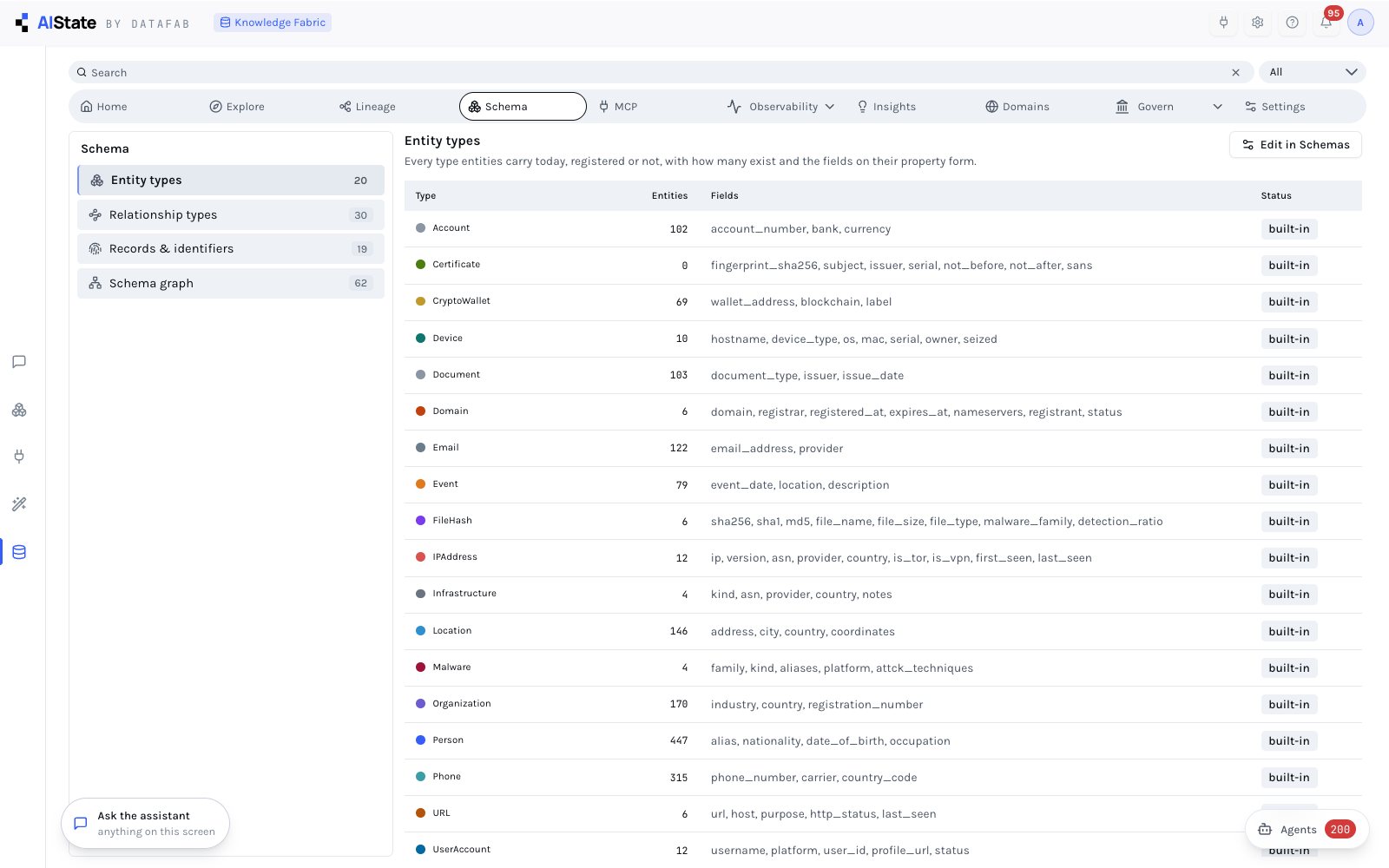
Entity types with how many exist and the fields on their property form; relationship types from the count store; records and identifiers; and a schema graph of which type connects to which, sampled from the graph itself.
Built-in types and the ones your organization added in the Schema Builder sit side by side — add a type and its forms, canvas colours and agency tools follow.
Connectors are assets too.
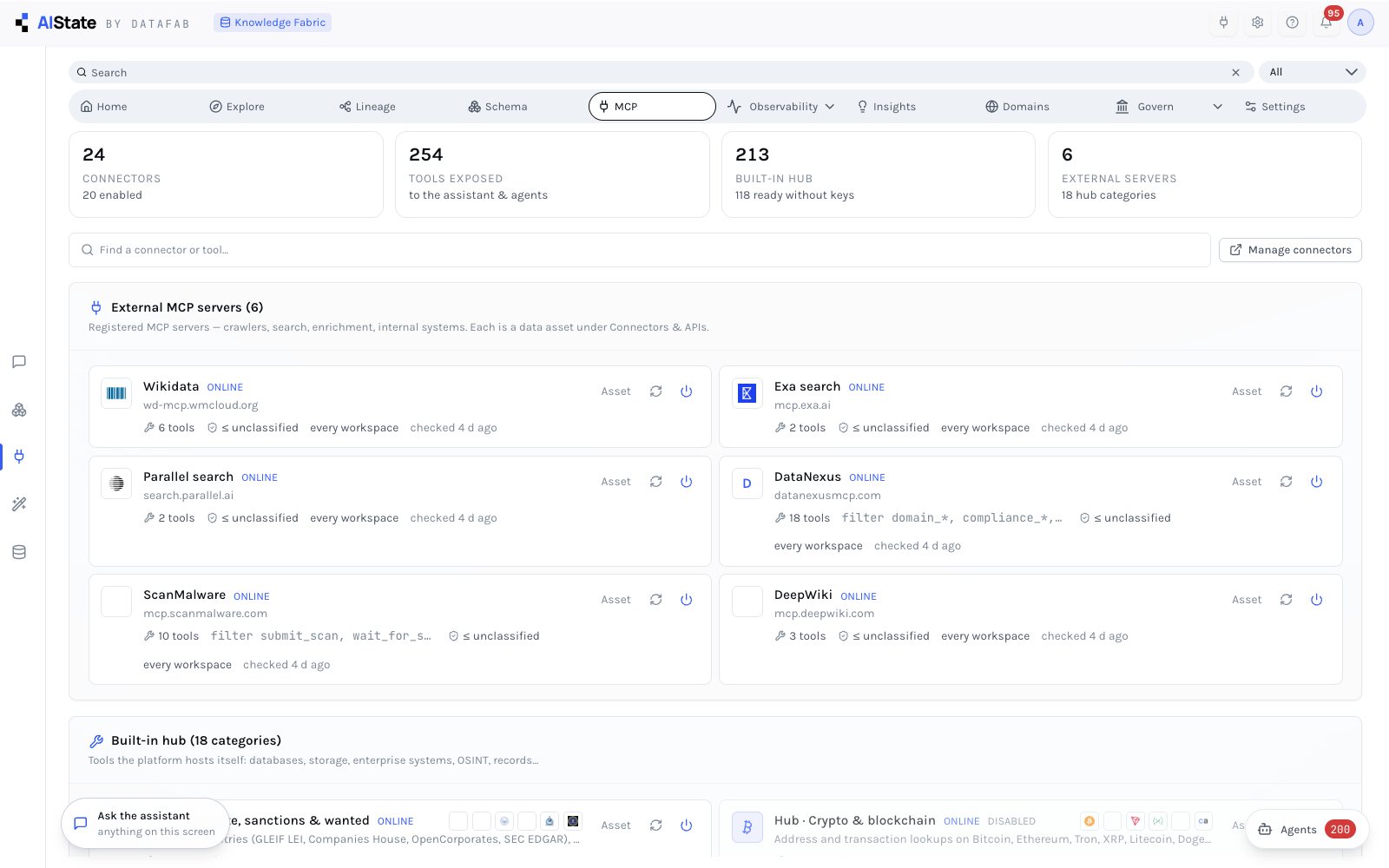
Connectors, tools exposed to the dialog and agencies, tools built into the hub and external servers — counted at the top, then every external MCP server with its status, tool filter, workspace scope and last check, and the built-in hub by category.
The enterprise connections you configure appear as assets with their host and family, never their secrets; lineage shows which investigations they have enriched.
Tests, not opinions.
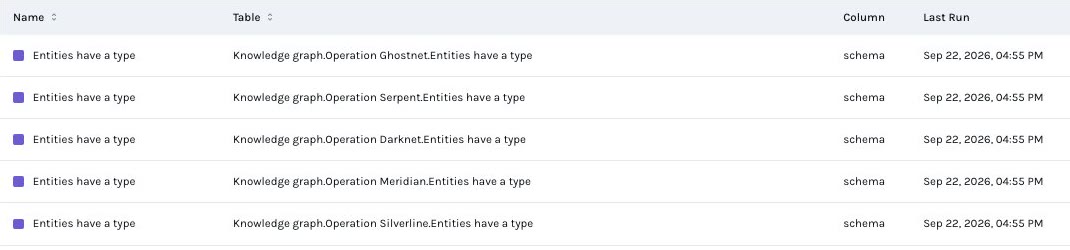
Every check is a test case with its table, column, last run and status — run them all or add your own. The tiles count total tests, successes, aborts, failures, healthy assets and coverage; a failure becomes an incident that someone owns, and alerts fire to a webhook or an inbox.
Is the estate getting better?
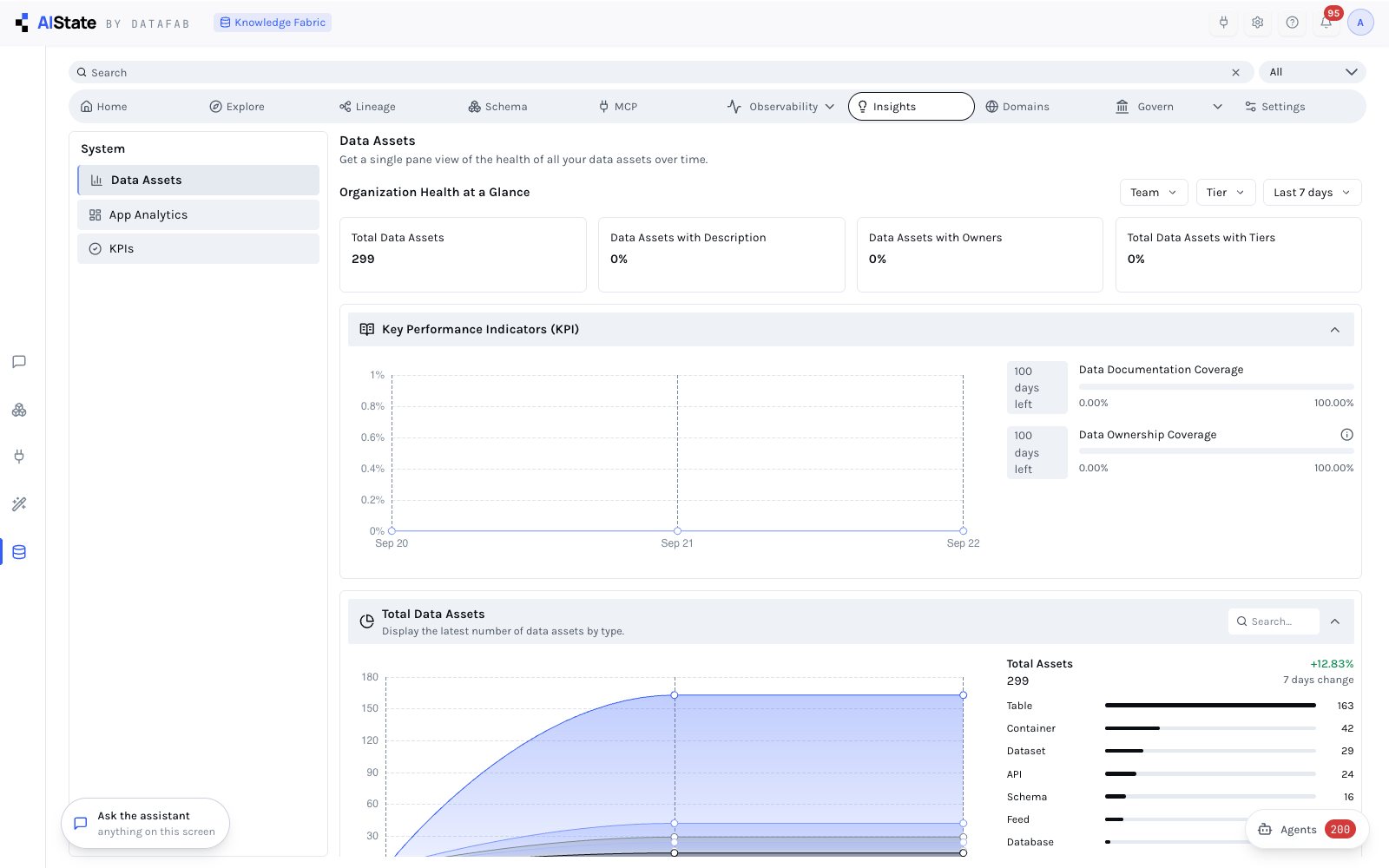
Organization health at a glance — total assets, how many are described, owned and tiered — then the KPI charts with the days left to close each coverage target, and the total assets by kind over time from the daily snapshots.
Also app analytics: who is using which screens and which items are opened most, for the workspaces you manage.
Ownership, language, handling.
Domains are business groupings with owners, sub-domains, data products and the assets placed in them; coverage says how much of the estate has found a home. The glossary defines the terms your organization uses and links them to the assets that hold them, with an approval state on each.
Classifications are controlled tag sets — handling, PII, tier, provenance — and a classification ceiling on a connector withholds it from cases above that level, in the dialog and in agency runs alike.
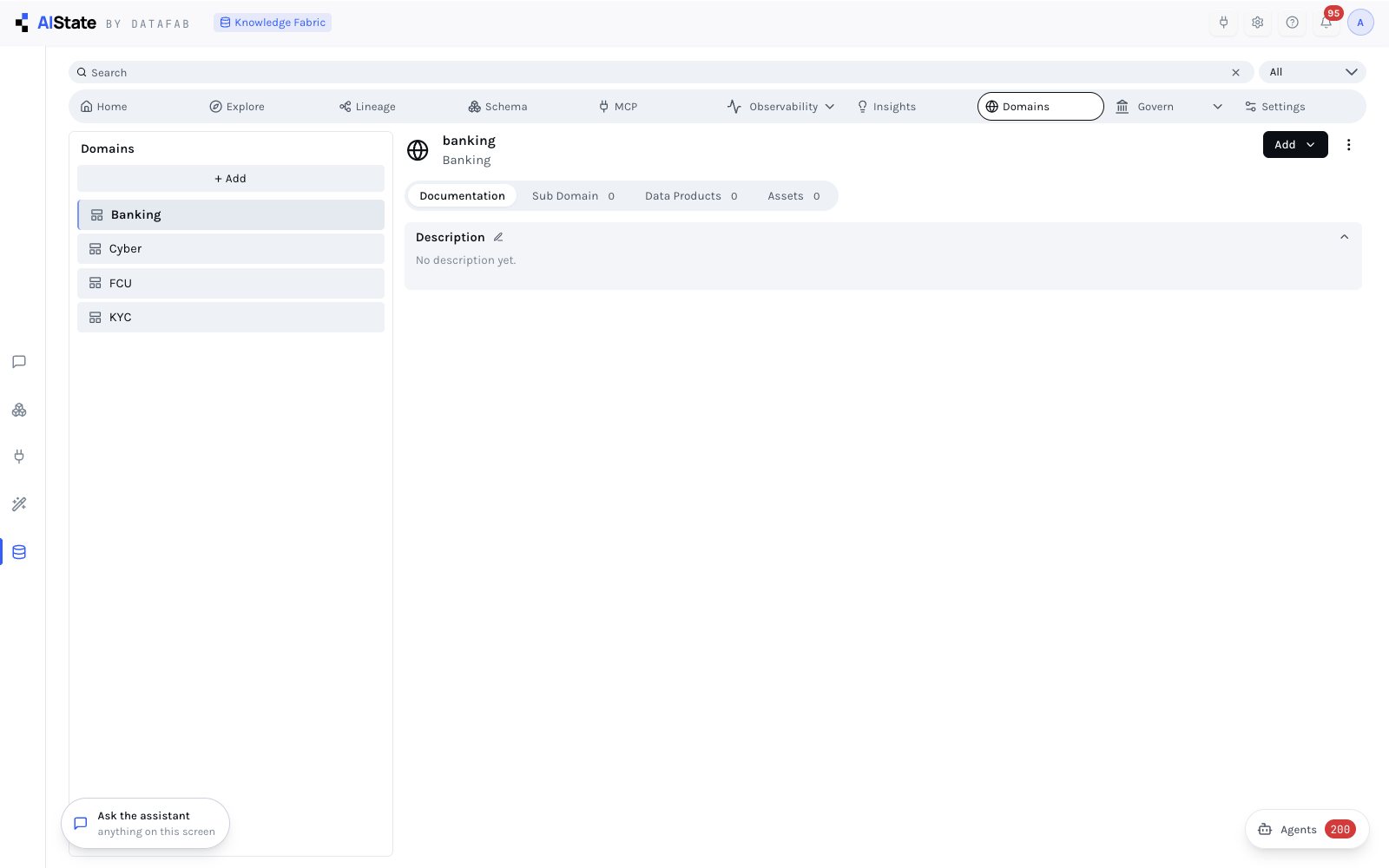
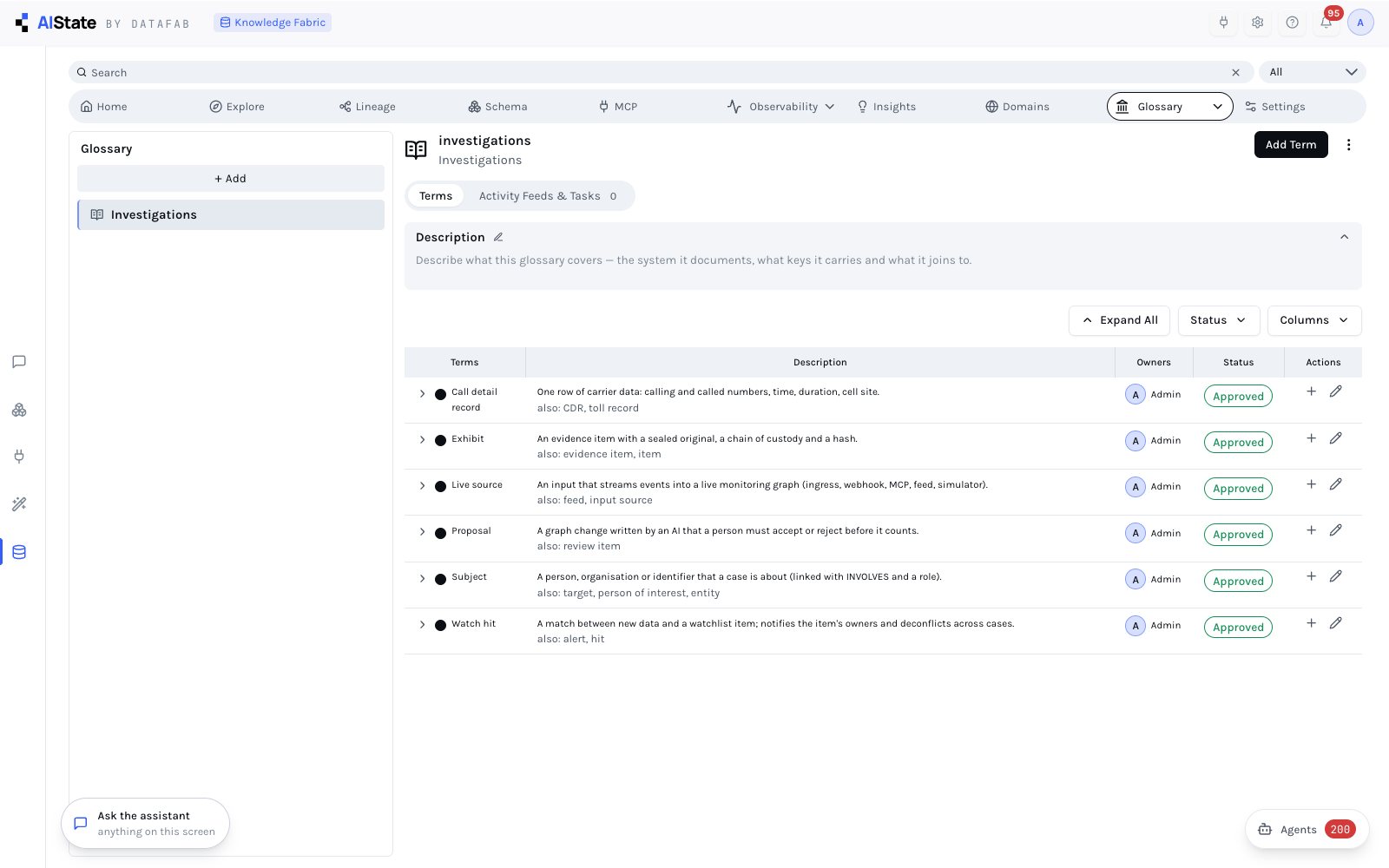
One vocabulary, approved.
Terms with their description, synonyms, owner and approval state, and the activity feed of what changed. A term links to the assets that carry it, so "exhibit" or "live source" means the same thing to a person, a report and an agency.
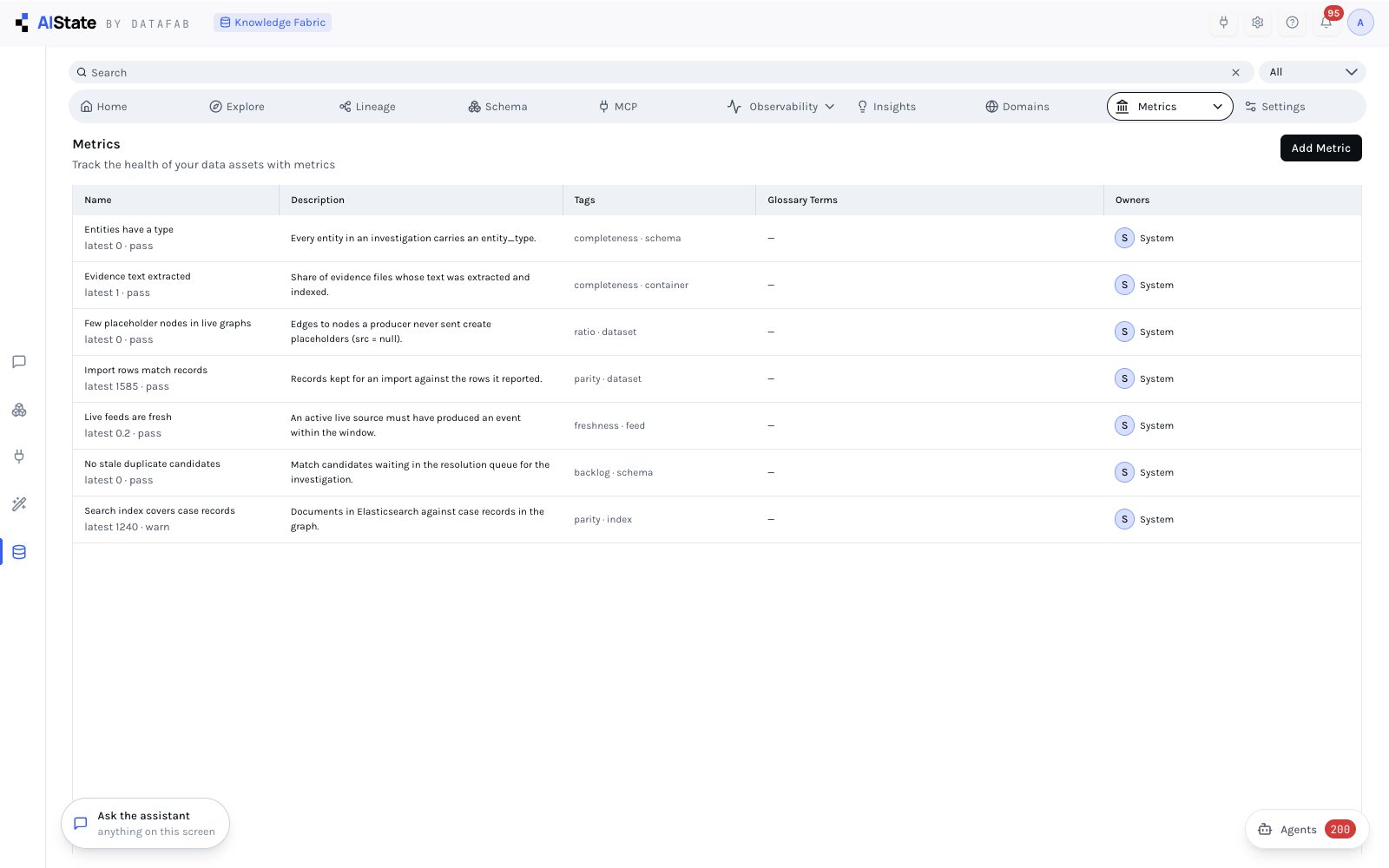
The health of the estate, as metrics you keep.
Each metric is a named check with a description, tags, glossary terms and an owner — "entities have a type", "evidence text extracted", "few placeholder nodes in live graphs", "import rows match records", "live feeds are fresh", "no stale duplicate candidates", "search index covers case records" — with its latest result.
Add your own; they run with the sync and feed the quality dimensions on Home.